Snapchat Planets 2026 | Order, Meanings, Algorithm & Hidden Facts
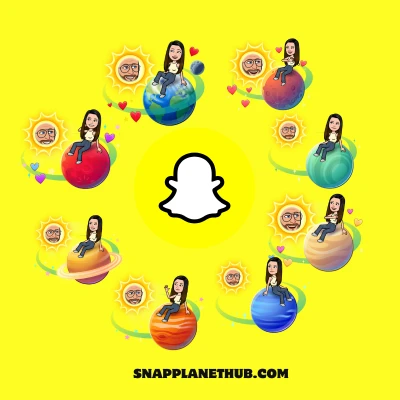
Ever opened your Snapchat and wondered what those colorful Snapchat planets orbiting next to your best friends are? You are not alone. Millions of users are puzzled by this new Snapchat+ feature, trying to decode where they stand in their friends Snap solar system order. It’s no longer just about streaks; now your position in the Snapchat planet system literally shows how close you are to someone.
In this guide, we describe everything about the Snapchat Planets order, what each planet represents, and how your friendship ranking is calculated inside the Snapchat+ feature. Whether you are confused by your place in someone’s orbit, curious about the planet chart, this article will clear it all up, from meanings to secrets that even most users miss.
What Are Snapchat Planets?
The Snapchat Planets, also called the Snapchat Friend Solar System. Its a Snapchat+ feature that visually ranks your friendship level using a mini solar-system layout. Your friend appears as the “sun,” and you show up as one of the eight planets based on how often you interact with them.
Each planet represents a specific closeness tier, Mercury signals the highest interaction level, while Neptune represents the lowest. The system uses measurable activity such as snaps exchanged, chat frequency, reply consistency, and engagement patterns to place you in a clear, easy-to-understand planet position.
How the Snapchat Friend Solar System Works
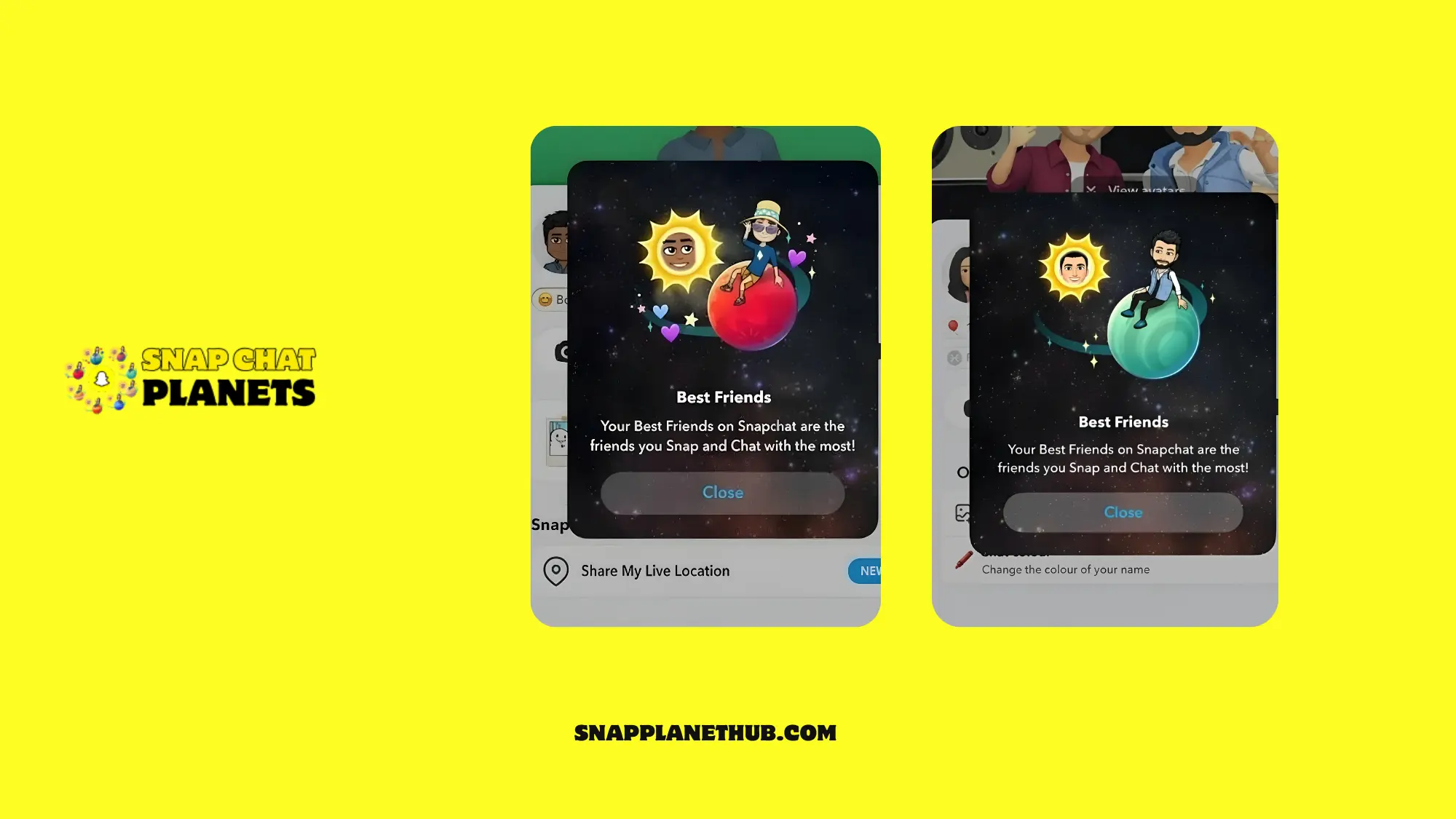
If you find out what those little Snapchat planets next to your friends’ Bitmoji actually mean? This is one of the coolest Snapchat+ planets features that reimagines how friendships are visualized inside the app. Just like features such as the Snapchat Green Dot or Half Swipe trick, the Planets feature helps users understand interaction levels with friends. Below is the breakdown of how planets on Snapchat actually function:
- Subscribe to Snapchat+
You need a subscription to Snapchat Plus to unlock this feature. Free users can’t see or use the Snapchat Solar System Order. - Find the Friendship Badges
Visit a friends profile. You will see a Friends badge or a gold-ringed Best Friends.
- Best Friends badge: You are both top eight in each other.
- Friends badge: You are top eight in theirs, but in yours, they are not.
- Tap to Reveal the Planet
When you tap the badge, it shows which planet you are in their Planets Order, Mercury through Neptune. Each planets position shows how often you interact, share streaks, or send snaps. - Dynamic and Private
Your Snapchat Planet changes as your interactions do. Snap more, chat more, and you might move closer to the Sun. It is private, visible only to you, not your friends or followers. - Automatic Ranking Updates
Snapchat’s algorithm recalculates rankings based on your recent interactions (snaps, messages, call frequency, and engagement time). It’s like a live friendship tracker that updates every few days depending on how active you are. - Enable or Disable Anytime
The Snap Planets feature for new subscribers is off by default. You can toggle it anytime under Snapchat+ Settings → Manage Features → Friend Solar System.
Snapchat Planets Order & Meanings (2026 Update)
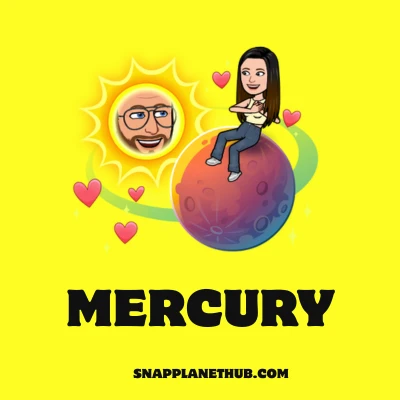
Mercury: Closest Best Friend
Represents
Mercury is your #1 best friend in the solar system. This is the person you interact with the most on Snapchat.
Visual Clue
A bright red planet with a glowing halo, four tiny red hearts floating above it, twinkling stars around the edge, and a Bitmoji sitting on top. This shows they are your top-ranked friend.
Meaning
This friend is your closest connection on Snapchat. You snap, chat, and react to each other constantly. In the solar system of Snapchat, Mercury is a symbol of mutual attention, trust, and commitment.
Venus: Emotional & Strong Bond
Represents
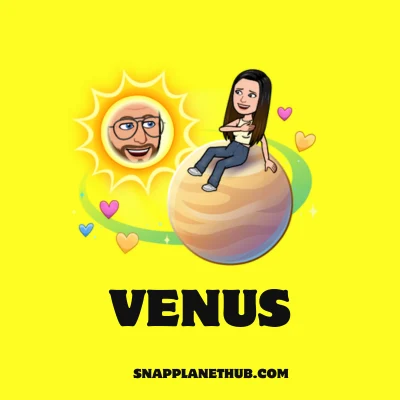
Venus represents your #2 Best friend in the friend solar system. According to the Snapchat planet order, Venus also stands for a close and emotionally linked friend.
Visual Clue
A soft beige planet surrounded by glittering multi-color hearts like blue, purple, pink, and yellow, and a subtle sparkle. A small Bitmoji may appear leaning or waving.
Meaning
Venus shows a friend you have a meaningful bond with. Your communication is steady and heartfelt. This friend may not top Mercury, but provides emotional support and trust in the friend solar system.
Earth: Harmonious Companion
Represents
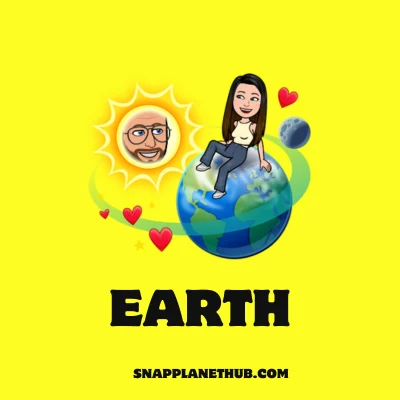
On Snapchat, Earth stands for your #3 best friend. It represents harmony and understanding among friends.
Visual Clue
A blue-and-green planet with tiny stars or sparkles orbiting it, giving a calm, stable vibe. The Bitmoji may appear standing confidently.
Meaning
Earth represents a friend with whom everything feels smooth and natural. You exchange snaps, stories, and replies regularly.
Mars: Fun & Playful Friendship
Represents
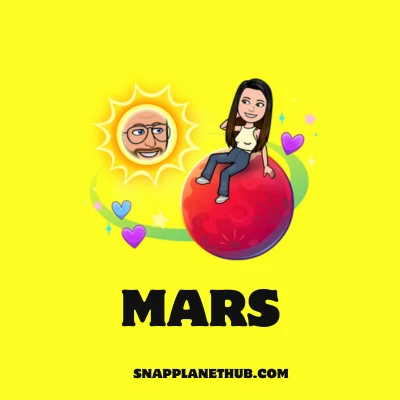
Mars represents playful and energetic interactions and also #4 best friend.
Visual Clue
Tiny animated icons like lightning or emojis, and a vivid red-orange planet with tiny flaming sparks. The Bitmoji may be in a fun pose.
Meaning
Mars reflects a friend you enjoy having fun with. The connection is mostly playful, sending memes, jokes, and funny snaps. This friendship is active but lighthearted, ranking as the fourth friend in your Snapchat planet order.
Jupiter: A Solid Casual Friend
Represents
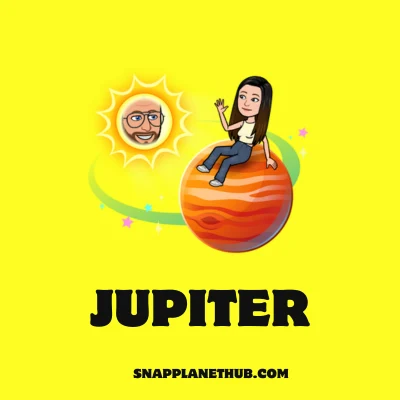
Jupiter is a sign of a casual, friendly relationship and a #5 best friend on Snapchat.
Visual Clue
A big orange planet with soft beige rings is slowly spinning. The Bitmoji might look small on the edge.
Meaning
Jupiter represents a friend you communicate with occasionally. The bond is reliable but not intense. You share casual snaps or messages without deep interaction.
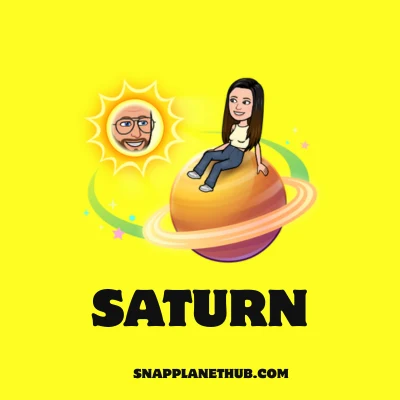
Saturn: Fading Orbit (Low Interaction)
Represents
This friend is #6 Friend in your Snapchat planet, indicating low recent engagement.
Visual Clue
The planet is pale yellow, with a thick ring of dull or slightly dimmed sparkles surrounding it. It is possible for the Bitmoji to appear smaller or partially obscured.
Meaning
Saturn reflects a friendship that was once active but is now fading. Chats, snaps, and reactions are rare.
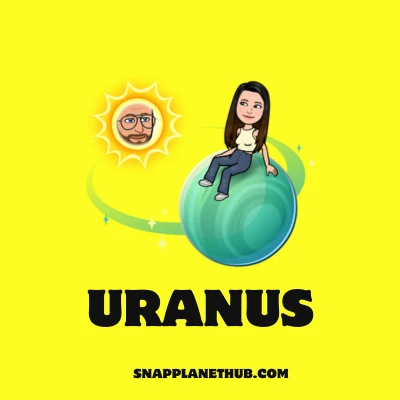
Uranus: Rarely-Chat Friend
Represents
Uranus indicates a distant friend with minimal communication. This friend is your #7 friend in the friend solar system,
Visual Clue
A small, nearly undetectable Bitmoji and a light blue planet with weak spark trails surrounding it.
Meaning
Uranus represents someone you barely interact with. Snaps or chats happen only occasionally. It shows a distant, low-priority connection.
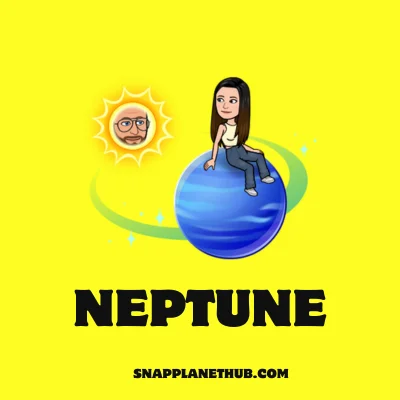
Neptune: Almost No Interaction
Represents
Neptune represents your #8 friend in snapchat planets order. It is for friends with almost no recent interaction.
Visual Clue
A deep blue planet with subtle glows, no obvious sparkles, and a tiny, far-away Bitmoji.
Meaning
Neptune represents a friend who is hardly involved. There are very few snaps, conversations, or story reactions. They are eighth in the Snapchat Solar System, representing the weakest bond.
Hidden Meanings in Snapchat Planet Icons
Snapchat’s planet icons use color, orbit, and emojis to visualize how close you are to your friends. Cool hues like blue denote more informal ties, whereas warm glow colors like pink and red signify emotional intimacy. Emoji icons (hearts, fire), glitter, and Bitmoji backdrops gamify connection and loyalty.
Snapchat transformed friendships from simple lists into an interactive solar system that seems more intimate and interesting.
The Psychology Behind Snapchat Planets
The Snapchat Planets feature is built on gamification and emotional psychology. Every time a user ranks a planet, they get a dopamine reward that makes them want to interact more to “stay closer” to someone. It meets people’s needs for acceptance and validation, especially among Gen Z users.
While it can cause comparison anxiety, Snapchat reduces this risk by keeping planet rankings private, focusing on fun and connection rather than competition.
Who Can See Your Snapchat Planets?
Privacy is a huge part of the Snapchat Plus planets experience. Only Snapchat+ subscribers can use the Friend Solar System, and visibility depends on what both users enable.
Visibility Rules
When you enable the feature, you’ll see how you rank in your friend’s solar system, but they won’t automatically see yours. It’s a one-way view unless they also have Snapchat+ and turn the feature on, too.
Perspective Differences
Your snap planet order in someone’s system might not match your view of them. That’s because it depends on your own interaction data, not theirs. You could be their Venus; they are your Jupiter; it’s all relative.
Privacy Settings
You can switch off the Snapchat planet feature anytime in your Plus management area. When disabled, planets disappear, and your friends can’t view your ranking either.
Snapchat’s Policy
According to Snapchat’s transparency notes, the planets feature doesn’t expose message or Snap details it just calculates interaction frequency. So your private chats and photos remain completely safe, even while orbiting someone’s Bitmoji.
How to Check Your Planet in Someone’s Solar System
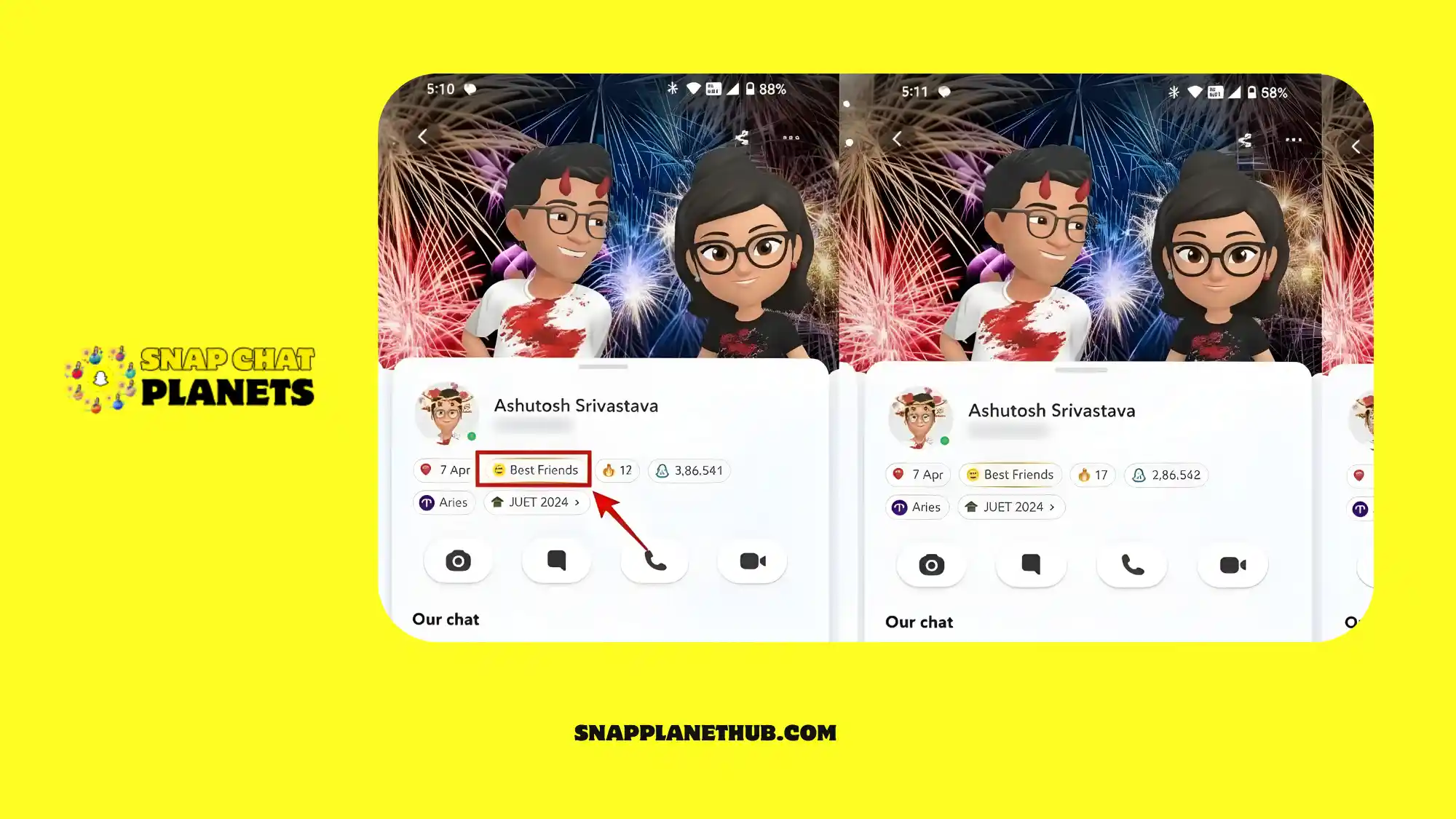
Snapchat makes it simple to see where you stand in a friend’s Solar System. Below are the following steps to check it:
Step-by-step guide
- Open your friend’s profile.
- Tap the Snapchat Solar System badge.
- A screen opens showing the planet assigned to your friendship.
- Tap the planet to read the short description.
Friend perspective
Your planet may look different on their side.
Snapchat ranks each person separately, so you can be Mars for them while they’re Jupiter for you.
Planet interpreting tips
• The closer the planet is to the Sun, the stronger your interaction rank.
• Your rank changes whenever your activity increases or drops.
• Don’t focus on the planet’s color; focus on the placement.
How to Improve Your Planet Ranking in Snapchat Planets
If you want to improve your Snapchat planet rank, the Snapchat algorithm looks at a few specific engagement signals to decide your position.
1. Daily Snaps
Sending snaps every day keeps your connection active. The algorithm interprets consistent engagement as a robust indicator of friendship. Even quick shots help keep you in the friend ranking.
2. Keep Snapstreaks Alive
A long Snapstreak shows steady engagement. When the streak stays active, Snapchat increases your closeness score. Breaking the streak can slow down your planet rank growth.
3. Communicate Often
Regular chats tell the system that you talk frequently. Short, natural conversations help maintain your position. Consistent messaging is one of the easiest ways to improve rank.
4. React to Stories
Story reactions count as quick interactions. They are really interested in what your friend has to say. A simple emoji reaction can make you more engaged.
5. Memories + Video Snaps
Video snaps carry more weight than photos. Sharing memories or sending short videos increases interaction quality. These actions often move planet positions faster than regular snaps.
6. Reply Speed Signals
When you reply quickly, it shows Snapchat that the friendship is real and vital. If you don’t respond quickly or at all, your activity signal gets weaker. Reply speed is one of the hidden factors many users ignore.
7. Avoid Group Snap Overuse
Group snaps do not count strongly toward personal ranking. Too many group messages lower your one-to-one interaction score. Private snaps and chats matter more for planet improvements.
What Is Snapchat+?
Snapchat+ is the paid version of the app that gives you access to special features including the Friend Solar System, custom icons, the ability to see how many times you’ve watched a story, and special emoji badges. The planets on Snapchat are part of this paid feature, showing where you rank in a friend’s circle.
Key Snapchat+ Features
Custom App Icons & Chat Themes
In Snapchat+, you personalize your app with custom icons and chat themes. You can change app icon colors, chat backgrounds, and even choose special theme designs for selected friends. It makes your Snapchat experience more personal and visually appealing.
Pin Your #1 Best Friend
Allows you to pin your #1 best friend at the top of your chat list. Makes it easier to quickly access your closest connection. Pinning does not affect Planet rankings but improves usability and convenience.
Story Rewatch Count
Snapchat+ shows how many times someone has rewatched your story. Provides insights into engagement from your friends. Only visible to the user; private interactions are not revealed.
Snapstreak Tools
Snapchat+ provides streak tools to help maintain or monitor Snapstreaks. Shows streak reminders and encourages consistent interaction with friends. Can be combined with Planet ranking strategies to improve friendship position.
Ghost Trails (Snap Map)
Visualizes your friends’ recent location movements via Snap Map trails. Exclusive to Snapchat+ and provides a fun way to see where friends are active. Privacy settings still apply; you can hide your location or Ghost Trail activity.
Exclusive Bitmoji Styles & Notification Sounds
Access unique Bitmoji outfits, poses, and customizations exclusive to Snapchat+ subscribers. Notification sounds can also be personalized for certain friends or actions. Adds fun, customization, and personality to your Snapchat experience.
Early Access to New Features
Snapchat+ subscribers may get beta access to experimental features before public release. Examples: Galaxy Badges, new Bitmoji reactions, or upcoming interface tweaks. Encourages early testing and engagement with new tools.
Snapchat+ Pricing & Subscription Plans
Snapchat+ pricing can vary depending on the country.
- Monthly price: The average monthly cost is around $3.99.
- Yearly price: The yearly plan is cheaper and usually offers a 20–30% discount.
- Country differences: The final price may vary based on regional taxes, currency exchange rates, and Apple/Google Play policies.
How to Subscribe to Snapchat+ (iPhone & Android)
Subscribing for Snapchat+ is fast and works almost the same on both devices. Just go to your profile and pick the plan you want. Before you start, make sure your Apple or Google payment method is working.
- Open Snapchat.
- In the top left corner, click on the icon for your profile.
- You may open the Settings menu by clicking on the gear icon.
- Scroll down to find the “Snapchat+” option.
- The monthly or annual plan is up to you.
- Verify the purchase using Google Play or Apple Pay billing.
Snapchat+ will activate instantly after the payment is approved. You can start using premium features, including the Solar System and planets, right away.
How to See Snapchat Planets for Free?
Trial methods: Snapchat har user ko free trial deta hai jisse aap pure features test kar sakte hain.
Limitations: Trial limited hota hai, aur kuch regions mein kabhi available nahi hota.
Risks of non-legitimate apps: Third-party apps pose a risk of data theft. Account ban bhi ho sakta hai. Avoid karein.
How to Enable or Disable Friend Solar System on Snapchat
Want to toggle your Snapchat planets feature on or off? It’s super simple and works on both Android and iOS.
- Launch the Snapchat application.
- In the upper-left corner, select your Bitmoji by clicking.
- Click on Snapchat+ (the emblem with the star).
- Toggle the Friend Solar System on.
- Simply go back to the same toggle and turn it off to disable it later.
How to Cancel Snapchat+ Subscription
Canceling Snapchat+ is simple, but the steps depend on your device. You must cancel through the same platform you used for payment. After cancellation, your benefits remain active until the current billing cycle ends.
iPhone Steps
- Open the App Store.
- Tap your profile icon in the top-right corner.
- Select Subscriptions from the menu.
- Find and tap Snapchat+ in the list.
- Press Cancel Subscription and confirm.
This immediately stops future charges from Apple.
Android Steps
- Open the Google Play Store.
- Tap your profile icon in the top-right corner.
- Go to Payments & Subscriptions.
- Select Subscriptions, then choose Snapchat+.
- Tap Cancel Subscription and confirm.
Google Play will stop billing once the cancellation is submitted.
Snapchat Planets vs Snap Score vs Streaks
Have you ever wondered how Snapchat planets, Snap Score, and Snap Streaks all work together? They might look similar, but each tells a totally different story about your friendships on Snapchat+
- Snap planets: emotional closeness & best-friend ranking
- Snap Score: how much you use the app overall
- Streaks: your commitment to daily Snaps
Common Snapchat Planet Problems & Fixes
- Planets Not Showing: This usually happens if your subscription has expired or the feature toggle is turned off.
- Wrong Order Issue: A delay in updating interaction data can cause your planet rank to update slowly.
- Frozen Planet Icon: Clearing the app cache will refresh the planet icon.
- Subscription Not Working: Try logging out and back in, or refresh your App Store/Google Play billing information.
| Pros | Cons |
| Turns friendships into a fun, visual galaxy that feels personal. | It can cause jealousy or anxiety when someone changes position. |
| Encourages more chatting and engagement between friends. | Raises privacy concerns about how rankings are calculated. |
| Adds color, animation, and personality to your Snapchat+ profile. | Requires a paid Snapchat+ plan, limiting access. |
| Makes your Bitmoji and Solar System visually aesthetic. | The algorithm isnt transparent, so positions can feel random. |
Why Snapchat Created the Planets Feature
Using planets to illustrate the closeness of friends, Snapchat aimed to boost engagement and encourage Snapchat+ memberships. It competes with apps like Instagram Close Friends and BeReal, which employ emotive design to gamify friendships and entice users to return to see their buddy solar system standings.
Are Snapchat Planets Safe for Teens?
Teens could obsess over ranking declines. Snapchat encourages balanced use by limiting solar system visibility and tracking chat frequency only, not private content.
What’s New in 2026 Sc Planet?
The 2026 update improved animations, added a Bitmoji reactions, and started a regional rollouts with a refreshed interface. Snapchat is also testing Galaxy Badges, which may reward consistent interaction, making the friend solar system more interactive.
How Influencers and Brands Use Snapchat Planets
With this trend influencers can engage with their fans and convey stories about their loyalty. When artists carefully integrate solar system themes, engagement rates can increase by as much as 30%, according to data.
Final Thoughts
Your Snapchat universe isn’t about comparison, it’s about celebrating real digital connections. Planets mark a different kind of friendship orbit, reminding you who truly stays in touch. However, you are a Mercury-close or Neptune-distant, it’s your own mini galaxy of Snapchat people that matters.
FAQs
- Q: What do the planets mean on Snapchat?
A: Each planet on snapchat shows your friendship ranking in the Snapchat Solar System. Each planet represents how close you are to someone. Mercury means you are their #1 best friend. The nearer your planet is to the sun, the stronger your friendship connection.
- What is the order of planets?
The order follows the real solar system: Mercury (closest friend) to Neptune (eighth closest). It updates with your snap and chat activity.
- Can I change my planet?
No, you can’t manually change it. Snapchat’s algorithm automatically assigns your planet based on how often you interact.
- Why don’t I have planets on my profile?
You need a Snapchat+ subscription to access the feature. If your app is outdated or you have been inactive, it may disappear.
- Is Snapchat Planets available on iPhone and Android?
Yes, this feature works on both platforms through the latest Snapchat+ version.
- How often does the planet’s orbit change?
It can update daily or weekly, depending on how actively you chat, send snaps, or interact with your friends.
- What is the 9th planet rumor?
Snapchat has not verified the rumors of a secret ninth planet for pals who have been hidden or blocked; these are merely amusing community conjectures.