What Does DND Mean on Snapchat?
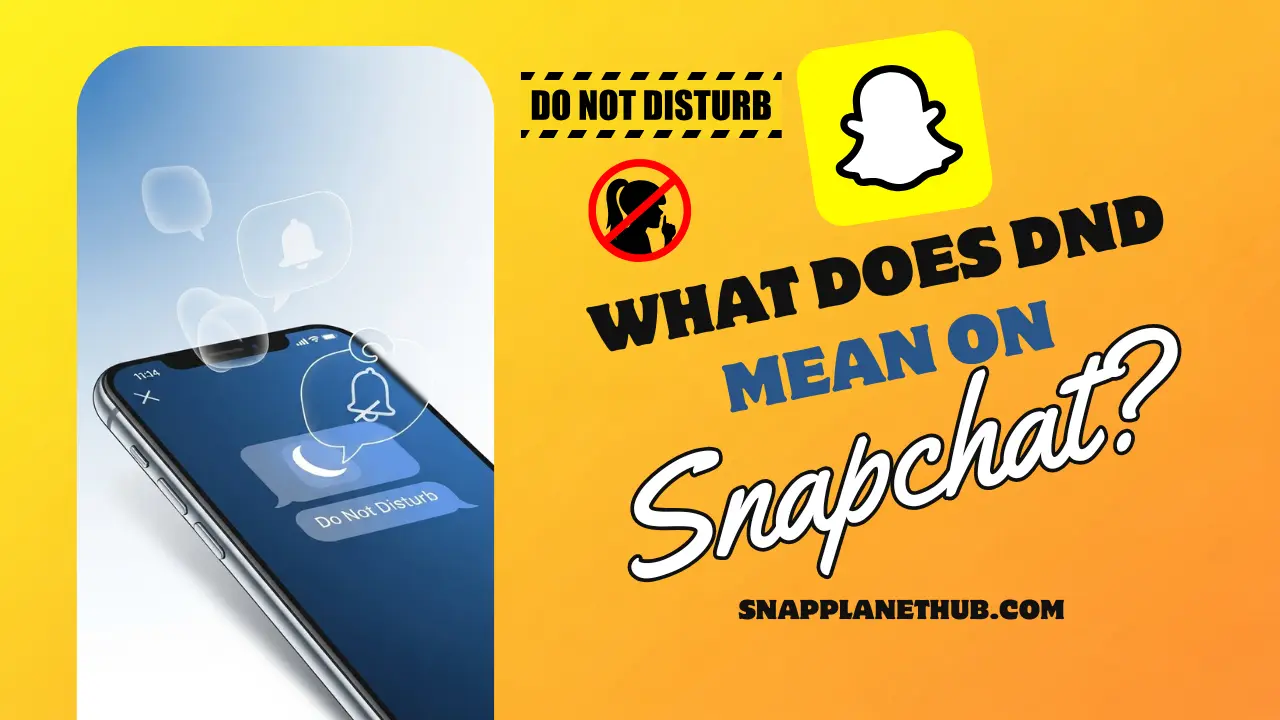
Worried because someone isn’t replying and your snaps sit there silently? Most people assume they’re being ignored, but the real reason is often DND. So, what does DND mean on Snapchat? It’s a setting that only quiets notifications, not your messages. That’s why streaks stay safe, chats still deliver, and the other person never knows you sent anything.
Understand that this mode is mostly about focus or personal space, not ghosting. Give them time, avoid double-messaging, and follow up later. This guide explains exactly how it works so you don’t overthink the silence.
What Does DND Mean on Snapchat?
On this app, DND is simply a quiet mode that shuts off alerts from a specific chat so your phone doesn’t buzz every time someone messages you. The conversation still stays in your inbox, and you can open it anytime, but you won’t get pop-ups or sound cues until you turn notifications back on. Teens and everyday users switch it on when they’re studying, chilling, avoiding distractions, or taking a break from someone who messages too often. Even if someone activates it, all snaps and texts still arrive normally, which means your streaks stay perfectly safe and nothing gets interrupted on your side.
How the Snapchat DND Feature Actually Works
Snapchat’s quiet mode simply puts one specific chat on silent so you don’t get buzzed every time someone texts you. It doesn’t hide the conversation or stop snaps from arriving, it just blocks the alerts on your end. Everything still shows up in your inbox, your streaks keep counting, and the other person has no clue you’ve muted them. It’s basically the app’s way of giving you space without breaking the flow of your conversations.
What Happens When You Turn on DND on Snapchat?
When someone activates this setting, alerts from that chat completely stop showing up on their screen, but the messages still land in the inbox like usual. Streaks keep going because delivery isn’t blocked. Your presence in the app stays private since the mode doesn’t share activity signals with anyone else. The other person isn’t informed about it either, so the whole process stays discreet.
No notifications
Once DND is activated, Snapchat stops all alerts from that chat, including snaps, audio messages, typing notifications, calls, and reactions. The conversation flows normally behind the scenes, but your phone stays distraction-free.
Messages still deliver
The sender’s messages land in your inbox exactly as usual. The system doesn’t delay, filter, or hide anything. You simply won’t hear or see the notification pop-up unless you manually check your chats.
Streaks unaffected
Your streak count continues uninterrupted. Snapchat’s streak engine tracks actual message exchanges, not notification delivery, so DND never interferes with your daily snap routine.
Your activity is not shown
Turning on DND doesn’t change your Snap Map status, active timestamp, or typing visibility. Snapchat doesn’t reveal anything about your notification preferences, keeping your privacy intact.
No alert to the other person
The person you silence gets zero clue,s no icons, no warnings, no changes in chat behavior. This makes DND a safe option when you want boundaries without drama.
How to Turn On DND on Snapchat (iPhone & Android)
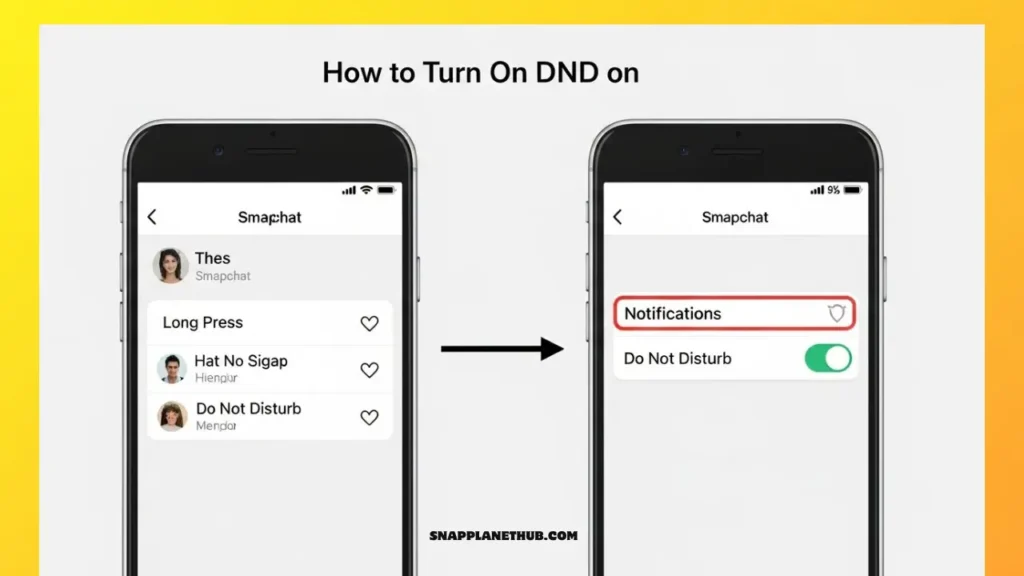
This section teaches every practical way to stop pings so you can focus or chill without leaving the app or hurting connections. You’ll get step-by-step actions for in-app controls and device settings, plus quick notes about what each method actually changes (alerts only, not message delivery). For official steps on controlling app notifications see Snapchat’s support pages.
Method 1: Using Snapchat’s Built-in DND Option
Short how-to + what it does: open your chat list, press/hold the friend or group, tap the notification option and choose the control that silences that chat. That stops push alerts and banners from that conversation while leaving everything else intact messages still arrive and the chat stays visible. Use this when one person or a single group is spamming your lock screen. Official Snapchat settings let you toggle specific notification types inside the app.
- Action: Long-press chat → Notifications/Do Not Disturb → Toggle.
- Effect: Its alerts are silenced, messages still delivered.
- You want selective quiet without changing device behavior.
Method 2: DND for Individual Contacts/Groups
The same long-press flow works for group threads, silencing the whole group so your phone no longer buzzes every 5 minutes. This prevents group chaos but doesn’t remove you from the group or hide its messages. Use this when you need a break from group noise (class projects, family threads, meme groups). Snapchat documents letting you control per-chat notifications are part of its notification settings documentation.
- Works for both one-on-one and group chats.
- Chat remains accessible; you can open it anytime to catch up.
- No notice sent to the chat about muting.
Method 3: Using Phone Settings (iPhone/Android)
Device-level silence gives deeper control: on iPhones, go to Settings → Notifications → Snapchat and disable banners, sounds, or lock-screen previews; on Android, use Apps & notifications → Snapchat to turn off app alerts or customize channels. This mutes everything from the app until you re-enable it, which is ideal for exams, overnight, or major focus sessions. Snapchat’s own help pages explain these options alongside in-app toggles.
Method 4: Time-Sensitive Notifications (iOS)
Focus modes are broken by some essential messages thanks to Apple’s Time-Sensitive feature. If you disable Snapchat’s Time-Sensitive permissions, you won’t be interrupted by notifications while using Focus or Do Not Disturb unless you launch the app. That’s perfect when you want messages to arrive but not ping you. Apple explains how notification previews and time-sensitive alerts work in iOS documentation.
How to Turn Off DND on Snapchat
Simple reversal steps so you can restore alerts immediately cover both per-chat and device changes.
Turn Off for Everyone
If you muted the whole app at the system level, re-enable sounds/banners in the phone’s notification settings for Snapchat. Alerts should return instantly once you toggle them back on. Snapchat’s support docs show the exact toggles for both iOS and Android.
Turn Off for a Specific User
To unmute one person: long-press that chat again and switch notifications back on. This restores badges and banners from that contact only, leaving other muted threads untouched.
Steps at a glance: long-press chat → Notifications → Enable.
Turn Off via Phone Settings
If you disabled alerts on the device, return to the app’s notification panel in system settings and re-allow the notification types you want (sound, lock screen, banners). Android may show notification channels so you can restore only specific types (e.g., message previews but not story alerts).
How to Know If Someone Put You on DND on Snapchat
This is one of the most-searched concerns, and the honest research-backed answer is: there’s no explicit flag that tells you someone muted you. Apps keep this private for user privacy; third-party “detectors” are unreliable and risky. Instead, use behavioral clues described below. Official platform docs confirm push control is managed on the recipient’s side and not exposed.
Lack of Notifications Does NOT Notify Them
Point: Muting is private. If someone silences you, neither you nor any system message will be told. This feature exists to let people set boundaries without drama.
Grey Arrow Meaning
Point: A grey arrow (or “sent” indicator) usually means a snap or chat was sent but not opened. It does not prove you were muted; it only shows the recipient hasn’t viewed your content yet. For authoritative notes on streaks and message states, see Snapchat help.
Delayed Replies
Slow replies are ambiguous; they can point to being muted, but are far more often caused by busyness, Focus modes, or device silences.
No Snap Reactions
If someone gets snaps but never opens or responds to them, it could mean they aren’t seeing notifications, but it could also imply they’re offline, ignoring social applications on purpose, or too busy. Look for patterns over time rather than single events.
Are There Any Tools or Indicators?
- There’s no built-in indicator that someone muted you.
- Third-party apps that claim to detect this are untrustworthy and may breach account security.
- Best evidence is consistent behavior: long unread windows, no reactions, and other social signals combined. Official support resources and reporting practices reinforce that mute/DND choices are private
All Other Meanings of DND in Texting & Social Media
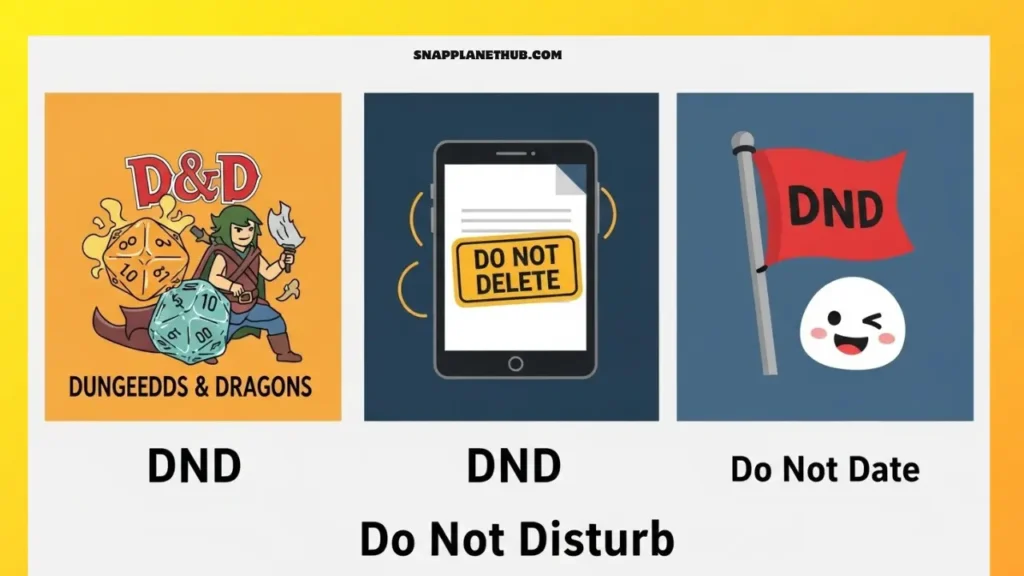
Even though most people associate DND with quiet mode or notification control, the abbreviation appears in dozens of online communities, from gaming circles to meme culture to relationship slang. Each variation carries a totally different tone, and meaning changes depending on the conversation, the platform, and the vibe of the people using it.
DND – Do Not Disturb
This is the most universal meaning and shows up everywhere Snapchat, Instagram, iPhone, Android, Discord, and texting. People use it when they want uninterrupted time for studying, work, sleep, or personal space. In digital etiquette, it signals “I’m not ignoring you, I just need peace for a bit.” It’s a polite boundary that doesn’t require explanation unless the conversation is important.
DND – Dungeons & Dragons
DND is a straight abbreviation for Dungeons & Dragons, the traditional fantasy tabletop role-playing game, in the gaming community. The acronym is used by players to refer to sessions, campaigns, character builds, and lore in group chats, Discord servers, and memes. When gamers say “DND tonight?”, they’re referring to game night, not silence mode.
DND – Do Not Delete
You’ll often see this in shared notes, digital folders, study groups, and group chats. It’s basically a warning label that something is important, like a schedule, assignment, long message thread, or pinned resource. When someone writes “DND” on a message, they’re asking others not to clear it, archive it, or remove it.
DND – Drunk and Disorderly
This version is particularly well-liked in chats at parties, in chaotic buddy groups, and in memes. After a crazy night, or when someone is being careless, noisy, or foolish, people use it in jest. It’s more of a meme than a true description, funny, exaggerated, and rarely serious.
DND – Death and Destruction
Gamers, anime fans, and meme accounts mostly use this dramatic phrase to talk about a tense situation, a strong attack, or a crazy event. When someone says “pure DND energy,” they mean over-the-top drama or catastrophic intensity in a fun way.
DND – Deal or No Deal
People use this slang word when they want to make a quick decision. It comes from a TV show. Use it when you want to make plans, share options, or bet with friends. People usually say this when they want the other person to make a quick choice. It’s casual and light.
DND – Do Not Disclose
This version is used in private conversations, NDAs, or other sensitive talks. It’s a quick way to tell someone that the information they shared shouldn’t be shared, leaked, or sent on.
DND – Day and Night Difference (New Trend 2026)
A newer trend on TikTok and Instagram. This phrase describes a major transformation, usually a glow-up in appearance, lifestyle, personality, or confidence. People use it in before-and-after posts, fitness journeys, aesthetic edits, or breakup rebounds. When someone says, “Your pics have DND energy,” it means the change is dramatic.
DND – Do Not Date
Used in friendship groups or dating conversations, this shorthand labels someone as a “red flag” or person to avoid romantically. It’s sometimes joking (“He’s DND, girl, don’t risk it”) but can be serious if the person has toxic or problematic behavior.
DND – Down ‘n Dirty (Adult Slang)
This is a more grown-up version of the short form used in flirty or bold conversations. It means behavior that is suggestive or intimate, and it happens a lot in private chats. Because it has an adult meaning, the tone and how people relate to each other usually decide if it’s playful, teasing, or serious.
What “DND” Means When a Girl Says It
“DND” in a Snapchat chat from a girl almost never means “Do Not Disturb.” In modern slang on social media, it sends signals about mood, boundaries, or playful interaction that depend on the situation. It’s important to understand the nuance so that you don’t get confused for no reason.
She Needs Space / Mental Peace
“DND” usually means that she needs some time alone or to clear her mind. This isn’t about purposely ignoring someone; it’s about taking a break from talking to them to focus on herself. Some examples of situations are:
- Doing homework or studying for tests
- Taking time for your mental or emotional health
- Wanting to take a break from talking to people or too many group chats
Not in the Mood for Chats
Sometimes, “DND” is simply a casual signal that she’s drained or distracted. She might still get your messages, but she might not reply right away. This temporary state is normal and usually has nothing to do with the person who sent it. It can be awkward or stressful to push for replies.
Playful or Flirty Tone
n close friendships or romantic situations, “DND” can be used in a playful way. It could mean a fun challenge or a flirty mood. Usually, context clues, past conversations, and a shared understanding help us get this right. For example, it can mean “I’m on DND—catch me if you can!” without any bad meaning.
Hard “Do Not Text Me” Boundary
“DND” sets a clear limit in more serious cases. If you ignore it, it could hurt your relationships or cause problems. Repeated DND messages, long periods of silence, or a change in tone are all signs to look for. It is important to know and respect these cues for communication to be healthy.
Testing Effort / Attention
Sometimes “DND” is used in a sneaky way to see how much work the other person will put into talking. It helps her figure out if someone respects her boundaries, sends thoughtful follow-ups, or gets in touch later. This is often fun, but it can also help you understand how relationships work.
DND vs Other Snapchat Privacy Features
There are many privacy tools available on Snapchat. Knowing how DND works makes it easier to manage notifications and interactions.
DND vs Mute
- DND: It silences all notifications from a chat or group. Messages arrive normally, and the sender is unaware.
- Mute: Limits alerts for stories or chats but may still show badge counts. DND guarantees silence without affecting visibility, while mute is less strict.
DND vs Block
- Block: Stops all communication and takes the user off your friend list.
- DND: lets the user stay connected but turns off notifications. DND can be turned off, but blocking is permanent until you do it yourself.
DND vs. Ghost Mode
- Ghost Mode: Keeps your location on Snap Map a secret.
- DND: Only controls notifications. Ghost Mode protects location privacy; DND protects attention and mental space.
DND vs Restrict (New Snapchat Tools)
- Restrict: Limits user interactions without fully blocking them. Messages may go to pending, and stories become hidden.
- DND: Turns off notifications without making messages less visible. Combining DND with Restrict allows nuanced control: you remain connected but fully in charge of what you see and when.
DND on Snapchat vs TikTok vs Instagram vs iPhone/Android
Snapchat DND
Works per chat or globally. Silences notifications, keeps streaks going, and the sender doesn’t know. Concentrated on privacy at the chat level.
Instagram Mute/DND
Allows muting messages, stories, or notifications from specific users. No streak system exists. Alerts are limited but content remains visible.
TikTok DND Meaning
Silences notifications like comments, likes, and direct messages. Chat privacy is minimal; this is mostly about avoiding attention overload.
iOS Do Not Disturb Mode
A feature at the system level that stops all notifications from all apps. Can be changed to let Time-Sensitive alerts go through.
Android Do Not Disturb Mode
Customizable OS-level control. Selectively mutes notifications per app or type, which can complement Snapchat DND for complete silence.
Myths About Snapchat DND
- DND means they blocked you: Blocking removes access entirely; DND simply silences notifications while keeping the connection intact.
- DND stops message delivery: Messages still deliver instantly; only notifications are suppressed.
- You get notified if someone puts you on DND: Snapchat never alerts the sender. DND activity remains private.
- DND removes streaks: Streaks continue unaffected. Only missing daily exchanges affect streak count.
Troubleshooting: DND Not Working on Snapchat?
- Verify App Permissions: Verify that Snapchat can give you alerts in the iOS and Android settings.
- Reset Notification Settings: Clear the cached preferences and adjust the app’s DND or mute settings to fix problems.
- Update Snapchat: DND may not function properly due to bugs in previous iterations of the app.
- Disable Focus Mode Conflicts: Snapchat’s DND can be circumvented by using system-level Focus Mode or Do Not Disturb. If necessary, adjust schedules or make exceptions.
- Reinstall Snapchat: Any defective data or problems that still affect DND are fixed by a fresh installation.
Related Snapchat Terms You Should Know
- Mute: Limits chat or story notifications.
- Ignore: Mark’s conversation without replying.
- Clear Conversation: Deletes local chat history.
- Ghost Mode: Hides location.
- Half Swipe: Preview messages without marking them read.
- Time-Sensitive Notifications: Alerts that bypass DND or Focus settings.
FAQs
Q1: What does DND mean on Snapchat iPhone?
If you have an iPhone, DND (Do Not Disturb) on Snapchat will stop notifications from a certain chat or group. Your phone won’t buzz or show alerts, but you’ll still get texts, snaps, and calls. This feature helps you stay focused or take breaks without losing your streaks or visibility.
Q2: What does the DND mean on Snapchat Android?
DND works the same way on Android as it does on iPhone. Depending on how you set it up, you can use it for one chat or for the whole app. Notifications are turned off, but messages and snaps keep coming in as usual, keeping your streaks safe and private from the sender.
Q3: What does the DND mean on text messages?
A: In general texting slang, DND almost always stands for Do Not Disturb. It signals that the person is temporarily unavailable for replies, either for focus, mental peace, or personal boundaries, without implying they are ignoring you intentionally.
Q4: Can someone see if I put their chat on DND?
A: No. Snapchat keeps all DND activity private. When you turn on DND, the person you silence doesn’t get any alerts, icons, or messages telling them that you did. This lets you set boundaries without anyone knowing.
Q5: Is DND the same as muting someone?
A: Not exactly. When you mute a chat or group, you can still see badge counts, but DND completely silences alerts for that chat or group without letting the sender know. DND is more strict, but messages still come through.
Q6: Does DND affect Snapchat streaks?
A: No. Turning on DND does not break streaks. Streaks keep track of real message exchanges, not whether notifications are sent or seen. You can turn off notifications but still keep track of your daily streaks.
Q7: Can you DND groups on Snapchat?
A: Indeed. Group chats on Snapchat can be set to DND, which silences all alerts while preserving the conversation. In busy groups where the continual pings can be annoying, this is very useful.
Q8: How is the DND different from blocking someone?
A: DND simply silences notifications and preserves the chat; the person remains your friend. Blocking removes the person entirely, prevents any contact, and hides your profile from them. DND is reversible and discreet, whereas blocking is permanent until undone.
Conclusion
DND is a flexible tool that balances connectivity and personal boundaries. It preserves streaks, hides notifications, and protects mental space. Understanding its use, nuances, and etiquette ensures smoother social interactions in 2026.