What Does the Green Dot Mean on Snapchat? [2026 Update & Full Explanation]
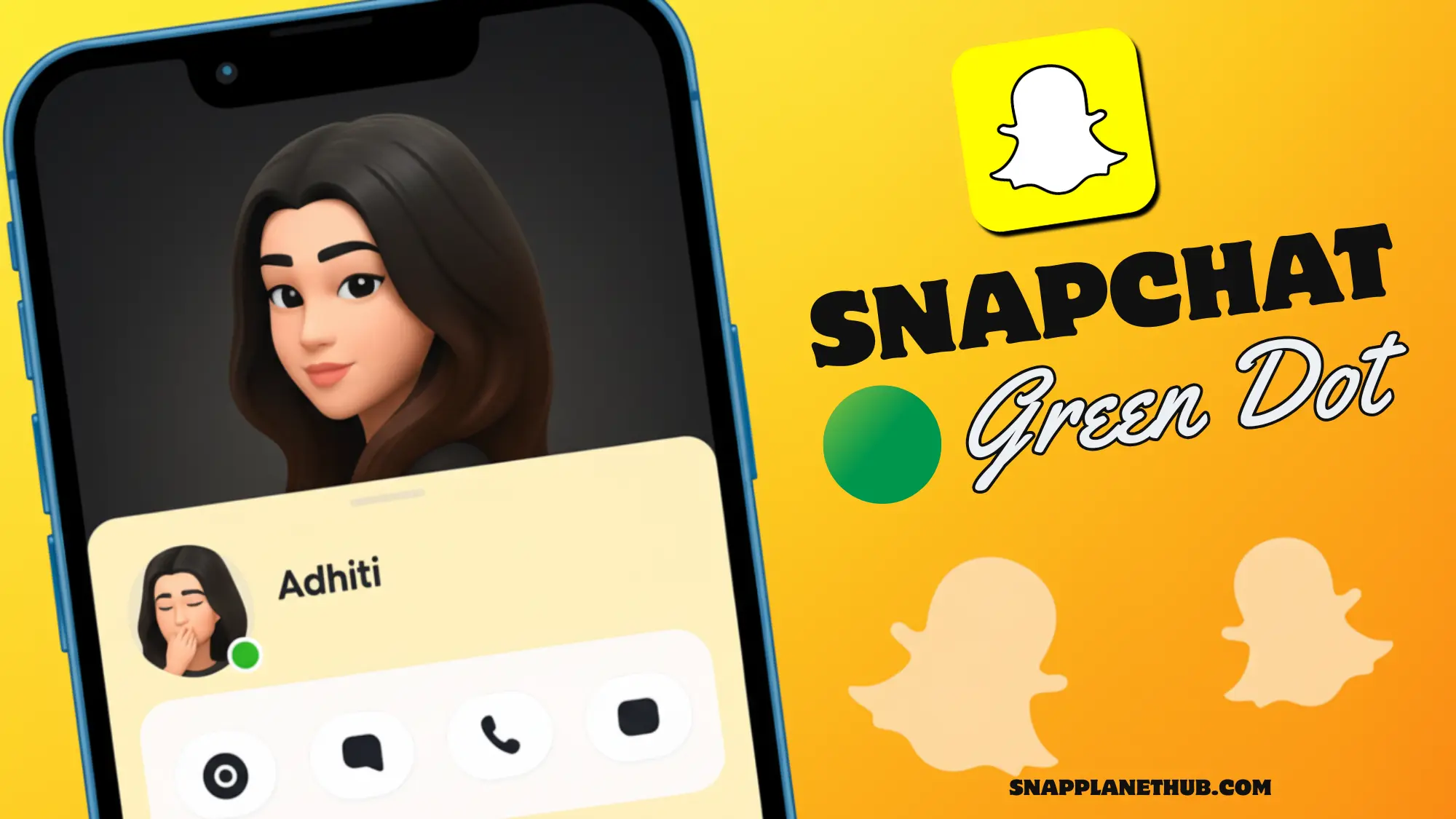
If you have spotted a tiny green dot next to someone’s Bitmoji or profile, you might be asking yourself: “What does the Green Dot Mean on Snapchat?” That tiny green light is Snapchat’s way of quietly saying, “Hey, they are around right now.” It is a little status signal that shows when a user has recently been active in the app. According to Snapchat’s official support info, the feature helps friends know who’s online without needing to send a message first.
In short, that small glowing dot is your clue that a friend has the app open or just used it moments ago, a subtle nudge for a quick, real-time connection.
What Is the Green Dot on Snapchat Exactly?

The green dot on Snapchat is officially called the Activity Indicator, a subtle feature that shows when someone is currently using the app or was active a few moments ago. If you have ever wondered what the green dot means on Snapchat, it’s basically the platform version of a light “online” signal, but without exposing full activity details.
You will notice this Snapchat green dot near Bitmojis in the Chat section, on the Stories page, and sometimes in the Snap Map. It’s different from the moving Bitmoji icons you see there; the dot simply shows that the person’s active, not what they are doing. In short, the green dot on Snapchat meaning is to make staying in touch easier while keeping your privacy protected.
How Long Does the Green Dot Stay Active?
The green dot on Snapchat usually stays visible for just a few minutes after someone last uses the app. It’s meant to reflect recent activity rather than a constant “online now” status. Once a user stops scrolling, snapping, or chatting, the Snapchat green dot fades out as the system refreshes in real time.
If the app is running in the background, the indicator pauses automatically so it doesn’t falsely show someone as active. It’s next to Bitmoji on Snapchat, signals that a person was active moments ago, not necessarily still online, giving you a quick and accurate glimpse of who’s been around without revealing their exact actions.
Can You Hide or Turn Off the Green Dot on Snapchat?
Snapchat gives users the choice to control when the green dot on Snapchat appears beside their name or Bitmoji. If you are curious about someone’s messages but don’t want to trigger read receipts, you can also learn how to half swipe on Snapchat, a clever trick to preview chats without opening them fully.
Step-by-Step Guide to Disable the Activity Indicator
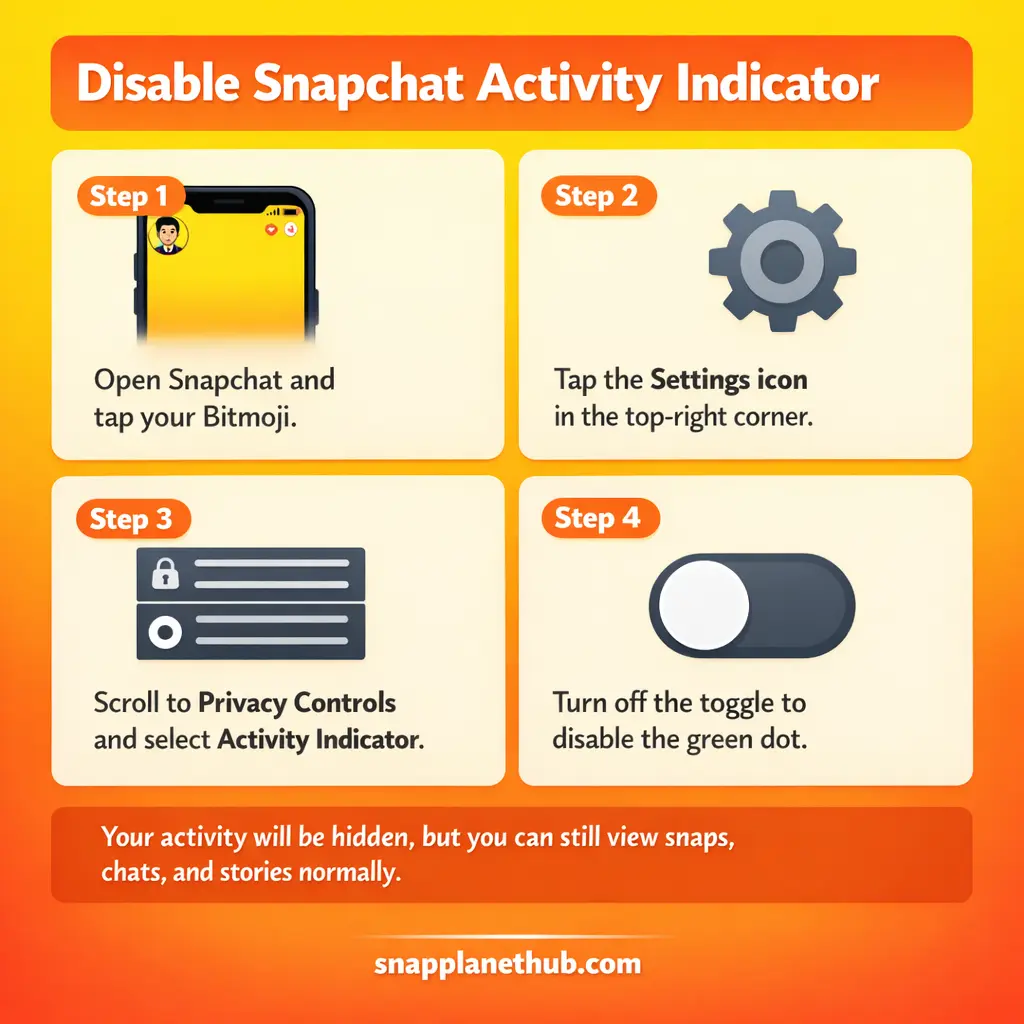
- Open the Snapchat app and tap your Bitmoji icon in the top-left corner.
- Hit the Settings gear in the top-right.
- Scroll to Privacy Controls and select Activity Indicator.
- Toggle the option off to disable the green dot visibility.
Once this setting is off, your friends won’t see the Snapchat green dot next to your profile, even if you are online. You will still see their snaps, chats, and stories; your feed just becomes more private.
How to Use Ghost Mode for Complete Privacy
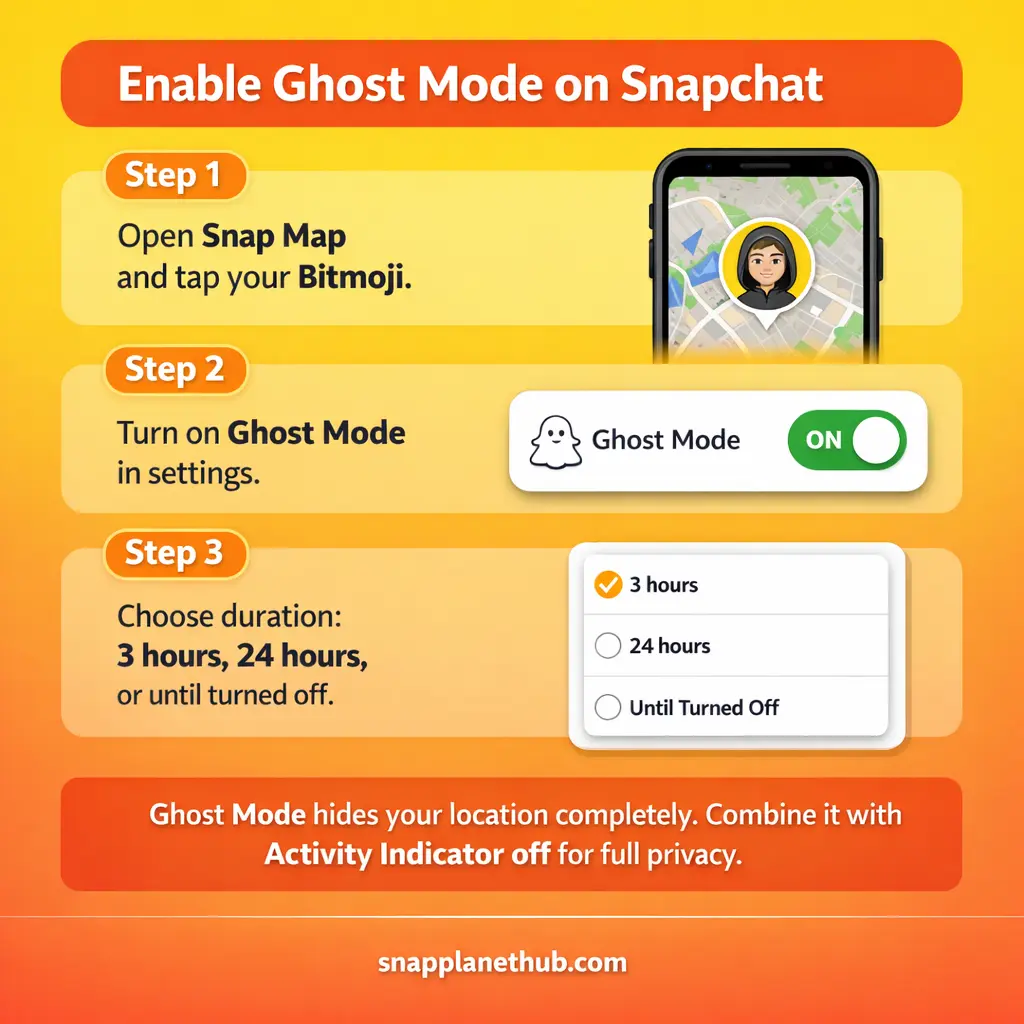
If you want to enable Ghost Mode in your Snap Map settings. This feature hides your presence completely, so that no one knows whether you have been active recently or not.
Ghost Mode can be set for 3 hours, 24 hours, or indefinitely, perfect for those times when you want to scroll without being noticed.
- Tap your Bitmoji on the Snap Map screen.
- Turn on Ghost Mode and choose your duration.
Ghost Mode and the Activity Indicator work separately, but combining both gives you max control over visibility and privacy.
Who Can See the Green Dot and When?
The green dot on Snapchat only appears to mutual friends; your activity status is private from strangers. It acts as a subtle activity indicator that shows who’s around without being too revealing. Snapchat uses multiple visual cues to show how active or close you are with friends, from the green dot for recent activity to the Snapchat Planet Order, which ranks your best friends like planets in a solar system.
Snapchat+ users get slightly different visibility options and early access to new presence features, so their dot behavior might vary.
Does the Green Dot Always Mean Someone Is Online?
It can stay visible for a few minutes even after closing the app. Snapchat system reads engagement timestamps, like when you open snaps or refresh chats, to decide how long the dot stays active. The goal is to give a friendly sense of availability, not track your every move.
Snapchat Green Dot Across Devices (Android vs iOS)
When comparing the Snapchat green dot experience across devices, you will notice small but important timing differences and more.
On Android
On Android, the green dot on Snapchat disappears faster because of stricter battery optimization and background process limits. Once the app closes, the system cuts off activity updates, making the indicator fade quickly. This gives Android users slightly shorter visibility times for the green dot.
On iOS
For iPhone users, the green dot meaning lasts longer since iOS keeps Snapchat active in the background for a bit. The dot may appear even after the person has switched apps or locked their screen.
Snapchat Green Dot vs Other Social Apps
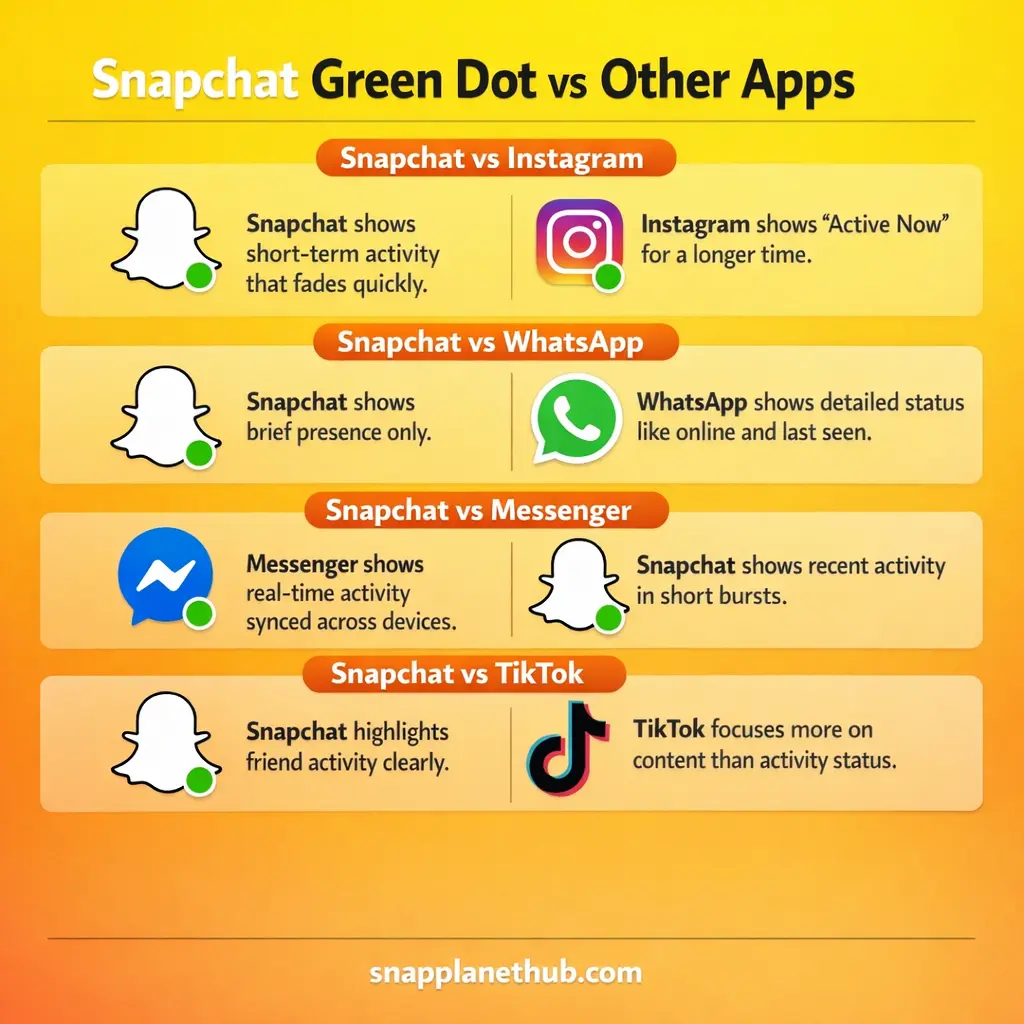
Snapchat vs Instagram
Snapchat’s green dot focuses on short-term activity; Instagram’s Active Now tag stays visible longer. Snapchat activity indicator fades quickly once you leave the app, while Instagram can show status for minutes or even hours.
Snapchat vs WhatsApp
WhatsApp offers detailed visibility, like online and last seen, but Snapchat green light gives only a brief sign of presence.
Snapchat vs Facebook Messenger
Messenger’s green circle means real-time presence, but Snapchat version leans toward “recently active.” Messenger syncs instantly across devices; Snapchat, on the other hand, updates status in short bursts tied to actual app engagement.
Snapchat vs TikTok
TikTok doesn’t highlight friend activity as clearly. Snapchat green dot offers more social awareness, helping users know who’s around for a quick chat. TikTok’s activity cues are minimal, keeping its feed algorithm-focused rather than social-status-based.
Other Snapchat Indicators You Should Know
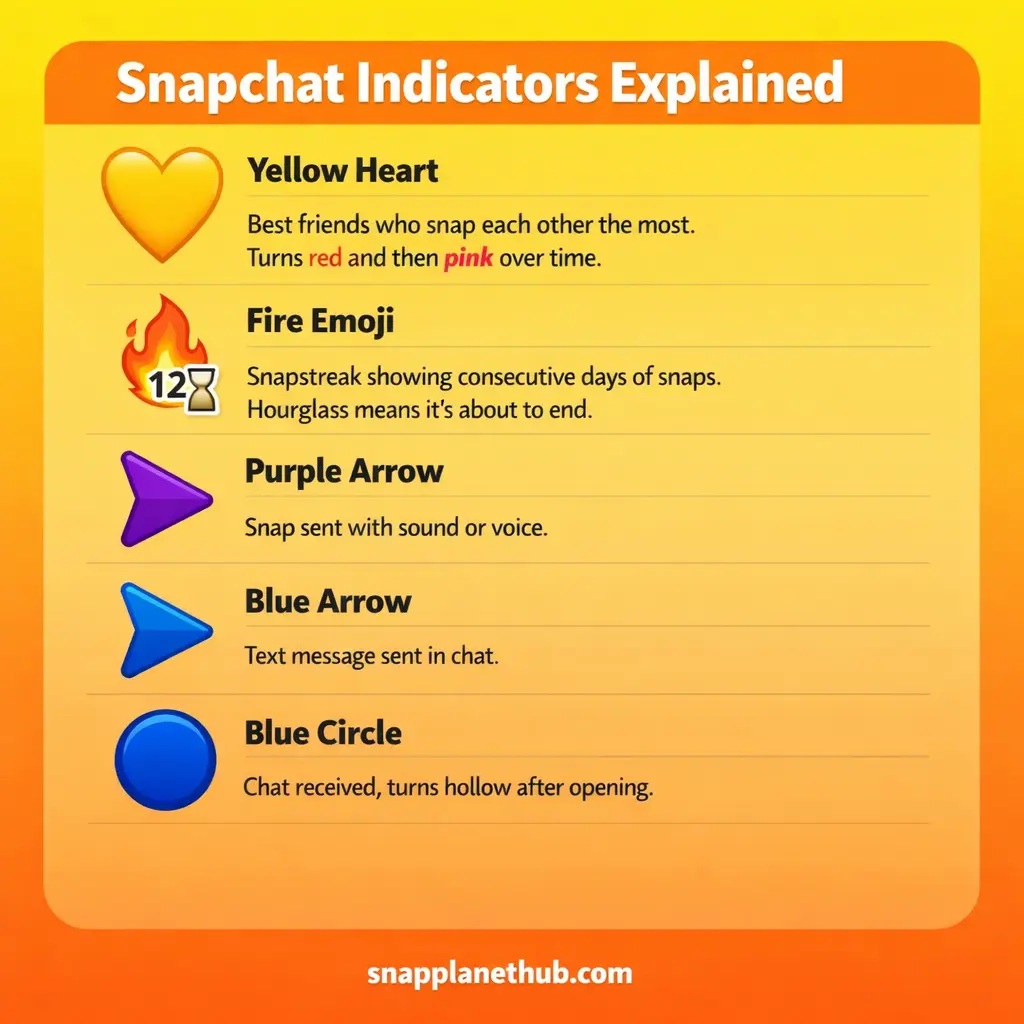
Snapchat icons and emojis aren’t random; each one reveals subtle details about your friendships, streaks, and activity patterns. Understanding them helps you decode how you interact with your friends and how active your connections are on the app.
Yellow Heart: Best Friends Forever
The yellow heart shows that you and another user send the most snaps to each other; it’s the top-tier friendship indicator. If you both keep up this interaction for two weeks, it evolves into a red heart, and after two months, into pink hearts. This hierarchy reflects sustained engagement, making it one of the clearest signs of mutual connection depth.
Fire Emoji: Snapstreak
A fire emoji represents your Snapstreak, which counts the consecutive days you and a friend exchange snaps. The number beside it shows how many days you have maintained the streak. If you see an hourglass emoji, it’s a warning that the streak is about to end.
Purple Arrow: Snap with Sound
When you send a snap with audio or a voice overlay, it’s marked with a purple arrow. This helps users quickly recognize which snaps are interactive or expressive, encouraging more multimedia engagement over plain images or silent messages.
Blue Arrow: Chat Sent
A blue arrow signifies a chat message you have sent, not a photo or video. It’s purely text-based communication, but it can turn gray once opened, confirming the recipient has read your message. This is Snapchat’s way of maintaining transparency without creating a “seen” pressure like other social platforms.
Blue Circle: Chat Received
When you receive a chat message, it’s indicated by a filled blue circle, which turns into a hollow blue circle once opened. This system makes message tracking easier, especially when managing multiple conversations at once.
Troubleshooting: Green Dot Not Showing or Always On
Case 1: Green Dot Missing
If the green dot on Snapchat isn’t showing, check whether your Activity Indicator is turned on in settings. Also, confirm app permissions for notifications and background refresh are enabled.
Case 2: Green Dot Always Visible
If the green dot never disappears, it might be a cache or background process glitch. Try clearing Snapchat’s cache and restarting the app, which usually resets status syncs.
Case 3: Appears for the Wrong People
Seeing your activity dot show up to random users? That is often due to delayed syncing or outdated app builds. Updating Snapchat fixes most visibility mismatches caused by server lag.
Privacy & Safety: what that tiny indicator exposes
Real-time presence cues can reveal patterns: when someone usually scrolls, which windows they open, and how often they interact with details that could be pieced together for unwanted tracking or pressure to respond.
If you prefer fewer breadcrumbs, use the app’s visibility controls to limit who sees live presence signals; turning that option off stops the short-status marker from appearing beside your profile. Remember: hiding presence won’t block stories, messages, or friend listings; it only reduces who can see your recent engagement.
How the app figures out who’s “active”
Short bursts of interaction feed the detection system: foreground use, opening chats, viewing media, and even quick refreshes are treated as engagement events. These timestamps are aggregated and evaluated by a presence algorithm to estimate how recently someone used the service.
Premium subscribers sometimes get predictive tweaks that surface refined presence hints earlier than on standard accounts, based on additional telemetry and experimental features.
What to expect next for presence signals?
Product teams often test more private defaults and finer-grained controls in beta channels, moving toward less persistent visibility settings and clearer explanations for users.
Expect options that let you share presence with a smaller circle, or that make the marker refresh less frequently to avoid overexposure while still enabling casual connection.
FAQs
Conclusion
These signals are meant to make catching up easier, not to force constant availability. Tweak your visibility, check beta privacy options when available, and treat presence markers as helpful hints instead of strict read receipts. Keep interactions on your terms and enjoy the app without unnecessary pressure.