What Does Time Sensitive Mean on Snapchat? (2026 Full Guide)
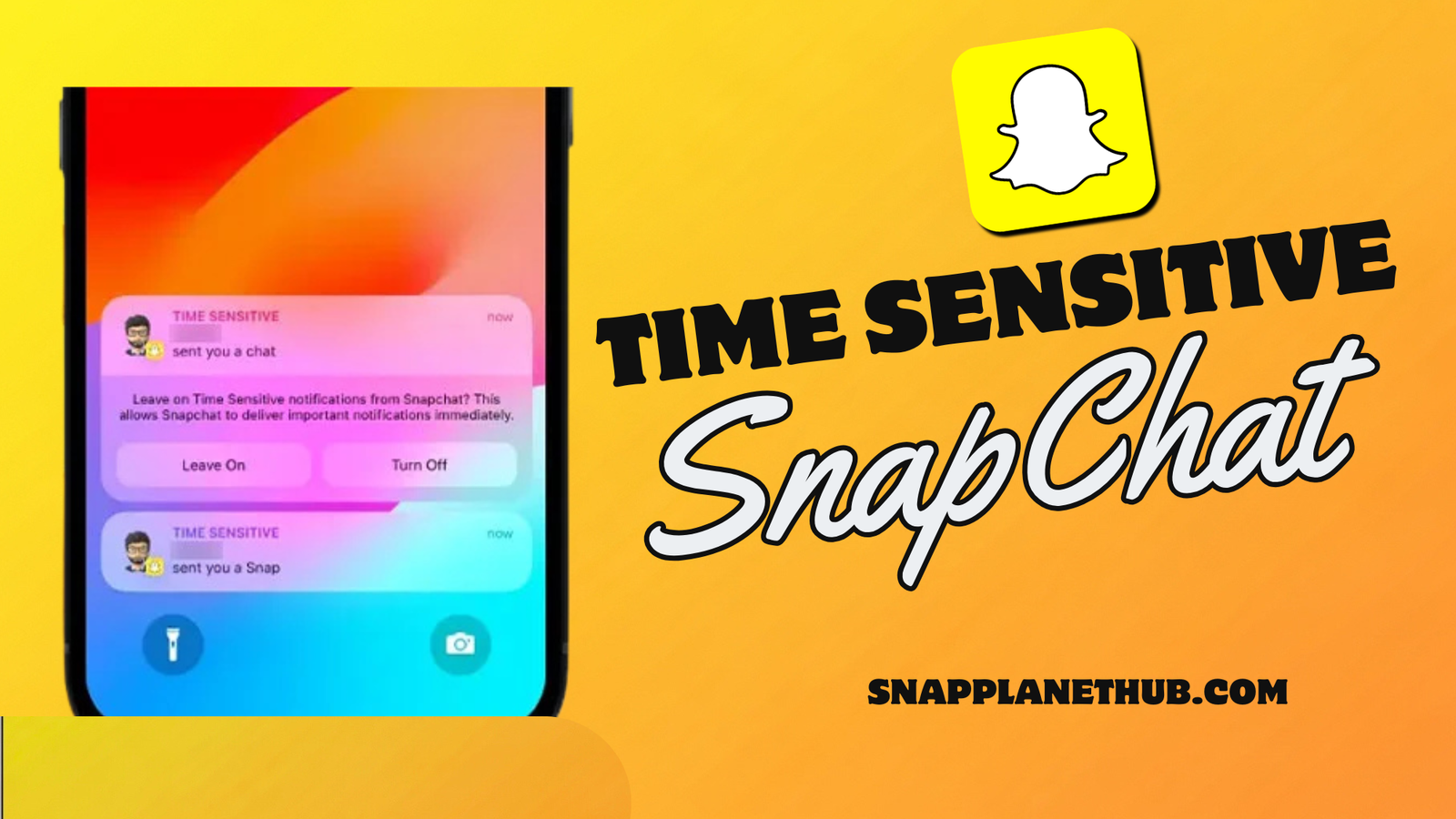
You are scrolling through your phone, minding your own business, when suddenly a Snapchat notification pops up labeled “Time Sensitive.” Confusing, right? Most users start wondering, “What Does Time Sensitive Mean on Snapchat?” Snapchat uses this tag to make sure you don’t miss certain updates it thinks are urgent. Even if your phone is on Do Not Disturb or Focus Mode, a time sensitive Snapchat notification will still show up on your lock screen.
Snapchat uses this tag to make sure you don’t miss certain updates it thinks are urgent. Even if your phone is on Do Not Disturb or Focus Mode, a time sensitive Snapchat notification will still show up on your lock screen. It’s basically Snapchat’s way of saying, “Hey, this might be important, check it now!”
Whether it’s a new chat, Snap streak, or friend request, the goal is to keep you in the loop. And if that feels too distracting, don’t worry, you can easily turn off time sensitive notifications on Snapchat anytime in your phone settings.
What Do ‘Time Sensitive’ Notifications Mean on Snapchat?
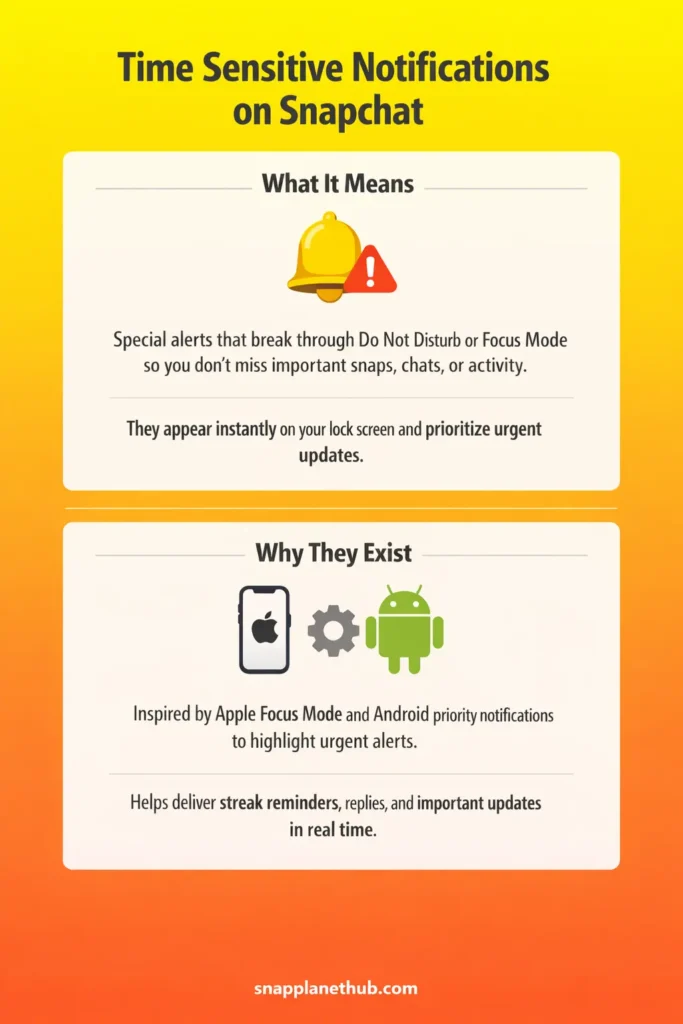
A time sensitive notification on Snapchat is a special alert that breaks through your phone’s quiet settings so you don’t miss messages. It’s Snapchat’s way of marking updates like chat replies, new Snaps, or friend activity as more important than others.
These appear immediately on your lock screen even when Focus Mode or Do Not Disturb is active. A Snapchat time sensitive alert can show up when the app detects something that might expire if you see it too late.
The Hidden Origin — How Apple’s Focus Mode Created This Trend
The idea of alerts on Snapchat traces back to Apple’s Focus Mode, introduced in iOS 15. Focus Mode lets apps highlight notifications that are considered urgent, allowing them to bypass your usual quiet settings. Snapchat integrated this system, giving certain messages, snaps, or friend activity a higher alert status.
This setup ensures that critical updates, like streak reminders or login confirmations, reach you immediately. Android phones use a comparable method called priority notifications, which gives similar high-importance alerts even when users activate Do Not Disturb.
By leveraging these operating system features, Snapchat can keep you in the loop on real-time events without requiring constant app checking.
How Time Sensitive Notifications Work Inside Snapchat
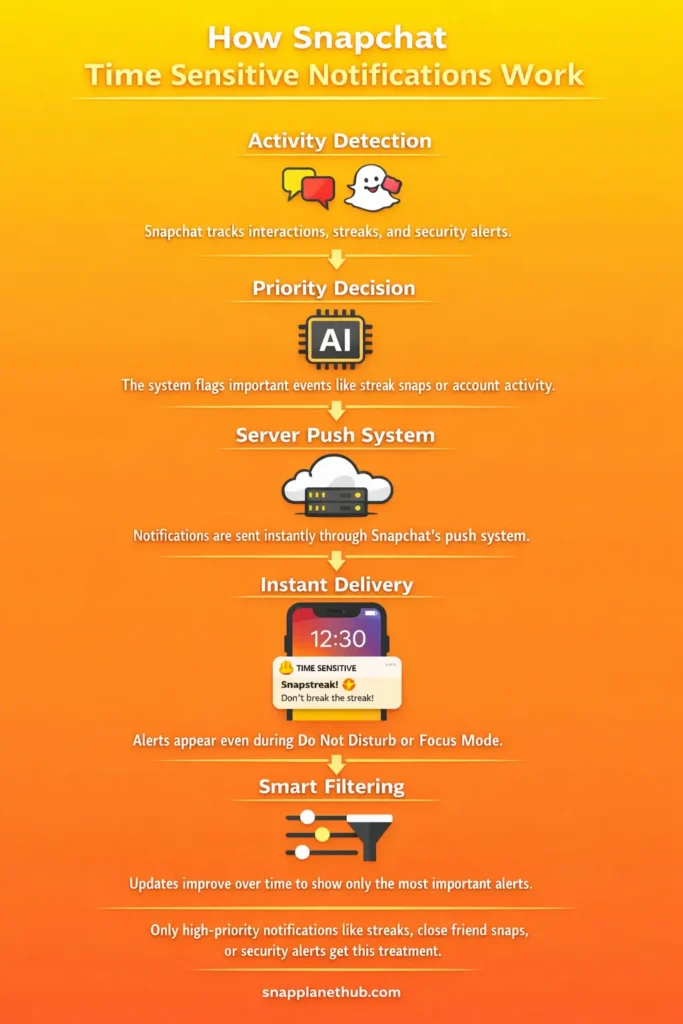
Snapchat determines which notifications deserve priority by evaluating interaction patterns, streak activity, and security triggers. For example, if someone sends a snap to maintain a streak or a verification alert, the app flags it as urgent.
These alerts are delivered through a server-side push system; they appear instantly on your lock screen even during Focus Mode or Do Not Disturb. Updates to the Snapchat app, along with background refresh, refine which messages get this special treatment over time.
Real-world situations include receiving a snap from your closest friends or being notified of account activity. By doing this, Snapchat balances staying socially connected with minimizing unnecessary distractions, making sure you only see what matters most when it matters.
Why Snapchat Uses Time Sensitive Alerts
Snapchat sends you time-sensitive notifications so you don’t miss important updates like streaks, unread messages, or friend activity. A lot of people want to know why some snaps are time-sensitive. The answer is that the app sends alerts for messages that need to be read right away to keep conversations going and interest high.
These alerts, labeled time sensitive on Snapchat, help maintain ongoing connections with close friends while highlighting content that might expire or lose relevance quickly.
How to Turn Off Time Sensitive Notifications on Snapchat
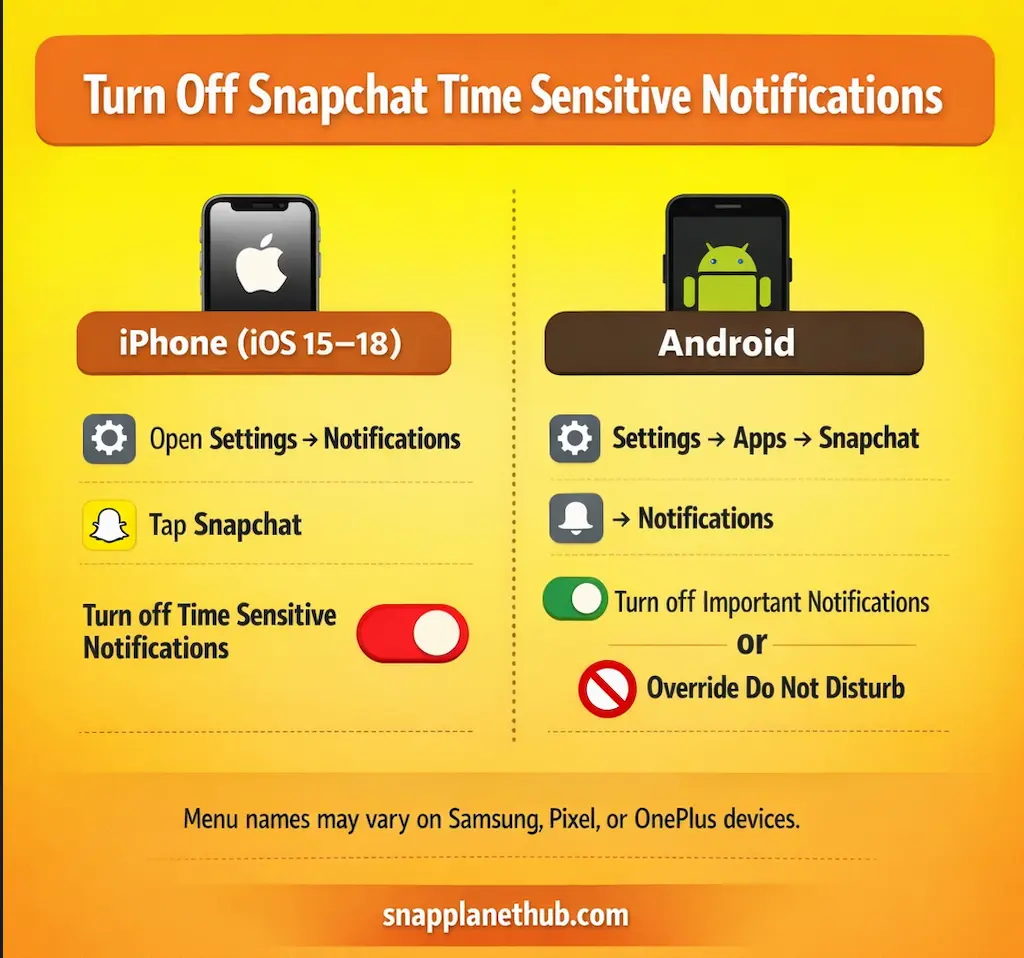
On iPhone (iOS 15–18)
To stop these priority alerts on iOS devices:
- Open Settings and go to Notifications.
- Select Snapchat from the list of apps.
- Locate Time Sensitive Notifications and toggle it off.
On Android
Android devices handle priority alerts differently:
- You open Settings → Apps → Snapchat → Notifications.
- You look for Important Notifications or Override Do Not Disturb and turn it off.
- Devices like Samsung, Pixel, and OnePlus may have slightly different menus, so check the notification settings for each phone model.
Customize Your Snapchat Notification
- Use Settings → Notifications to select which friends or groups can send alerts.
- Creators enable notifications for close friends and stories to boost engagement.
- The casual users limit alerts to direct messages to reduce distractions.
- Utilize Focus Filters and in-app controls to adjust notifications by activity type or time.
Privacy Alert
- Snapchat does not track ignored notifications or unopened Snaps.
- Other users cannot see if you received a time sensitive alert.
- The Sensitive alerts do not affect streaks, Snap Scores, or typing indicators.
Common Issues & Fixes
- The Alerts may keep appearing even when disabled, or some important Snaps may be missed.
- The Solutions reset app permissions, check device notification settings, or reinstall Snapchat.
- Visit Snapchat support page for step-by-step guidance if problems continue.
Comparison Table of Time Sensitive vs. Regular Notifications
| Feature | Time Sensitive | Normal Notification |
| Bypasses Focus | Yes, it appears even in Focus Mode or Do Not Disturb. | No, follow your device’s quiet settings. |
| Duration | It is Short-lived, usually up to an hour. | It stays until you clear it. |
| Alert Type | Time-sensitive grabs your attention. | Standard regular notification behavior |
Related Snapchat Features That Affect Notifications
- Activity Indicator (green dot): It shows on a friend’s Bitmoji when friends are active.
- Snapchat Planets: It tracks engagement levels with friends.
- Half Swipe: It allows previewing Snaps without opening them.
- Snap Map & Best Friends updates influence which alerts may appear prominently.
FAQs
Final Thoughts:
With Snapchat time sensitive notifications, you can receive important updates in real time while keeping control over distractions. Users have full power to customize alerts, balancing social connectivity with digital well-being.