What Does the Lock Mean on Snapchat?
When users notice the lock icon on Snapchat for the first time, it tends to confuse them. Some users believe they have been blocked, while others think a hidden feature has been triggered. But what does the lock mean on Snapchat? Simply put, it’s the indicator for a Snapchat Private Story.
This guide will explain why the lock appears, the meaning of different colors like the purple lock, and how you can manage your own private content.
Where Do You See the Lock Icon on Snapchat?
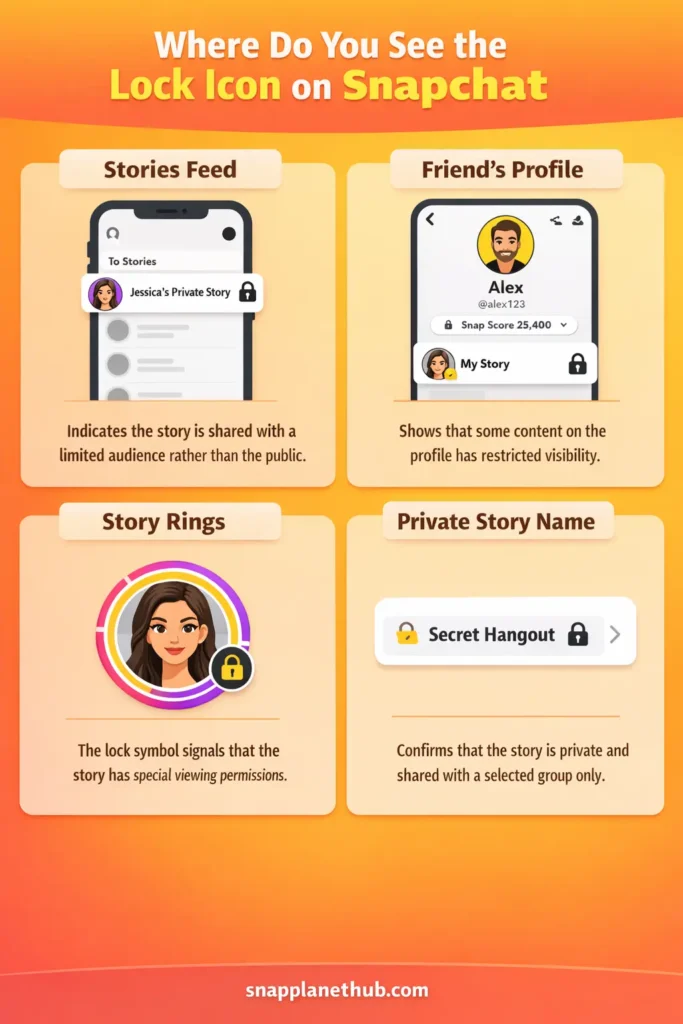
The lock icon does not appear in just one place. Snapchat displays this symbol in different places, and in each place, it provides a slightly different context. Below are the common places where users notice this symbol.
In the Snapchat Stories Feed
When you scroll through stories, sometimes a small padlock appears next to a story. This means the content is not meant for the general audience. The creator has limited their circle, so not everyone can access that update.
Inside a Friend’s Profile
Some users notice the lock when they open a friend’s profile. In this situation, Snapchat subtly indicates that content linked to that profile is shared with restricted visibility.
This does not mean you are excluded. Often, you are already on the allowed list, which is why you see the icon, while others do not.
Alongside Story Rings
The lock appearing with a story ring usually confuses users the most. The ring looks normal, but the lock gives an extra hint. Snapchat uses this visual shortcut so that users can understand, without clicking, that access rules are slightly different.
With the Private Story Name
When the story name itself shows a lock, the signal is very direct. The aim of using this feature is to show that the story is not public and is shared with a particular group of people.
Understanding Snapchat Private Stories
The Snapchat private story feature allows users to share their moments with a carefully selected group of people rather than the whole list of friends, making it the best feature to share personal updates. Unlike other stories that can be viewed by all friends, the Snapchat private story feature allows users to share stories with restricted access.
The Snapchat private story feature uses a lock icon as a visual indicator to show that the story is not public and is subject to selective sharing guidelines, so that users can easily determine the privacy level of the story without having to open it. The people only chosen by the creator of the story are able to see the story if it has a lock icon, and the rest are not allowed to access it.
Different Lock Colors on Snapchat
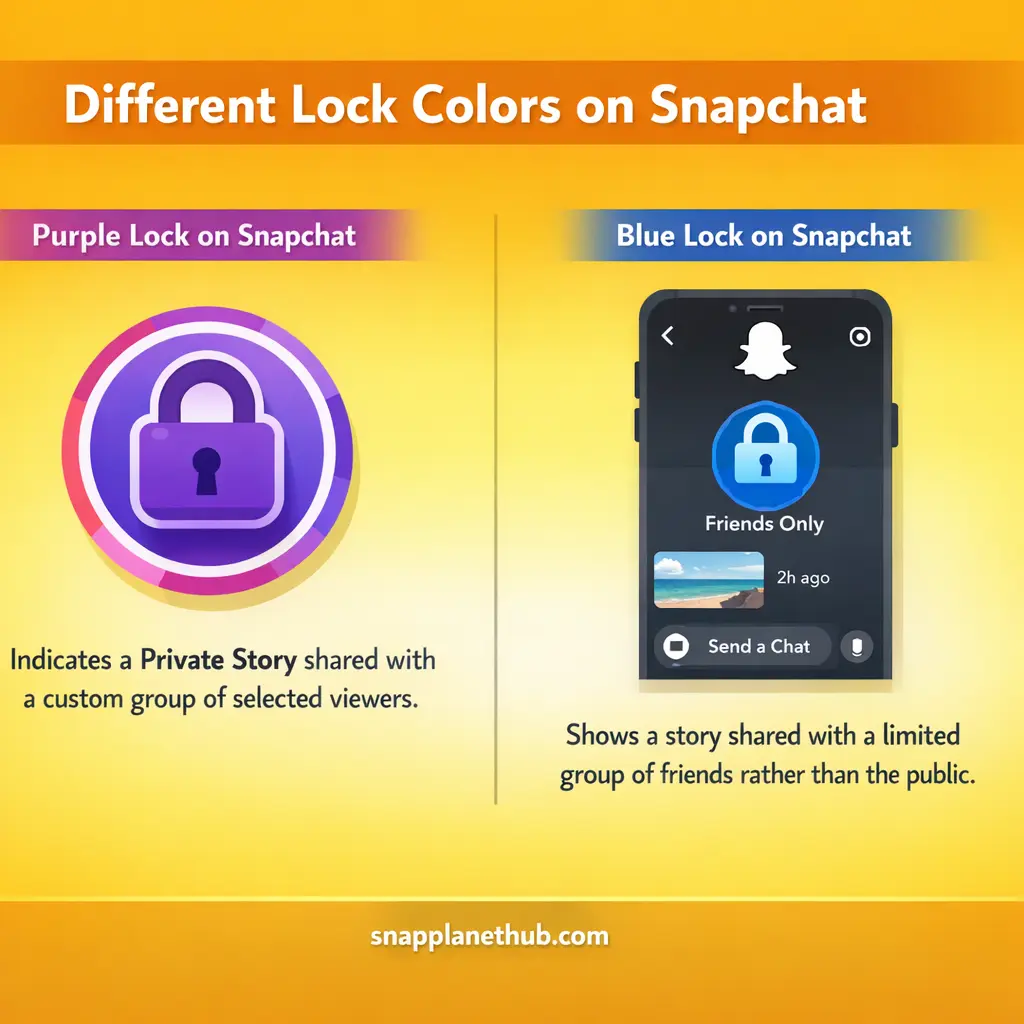
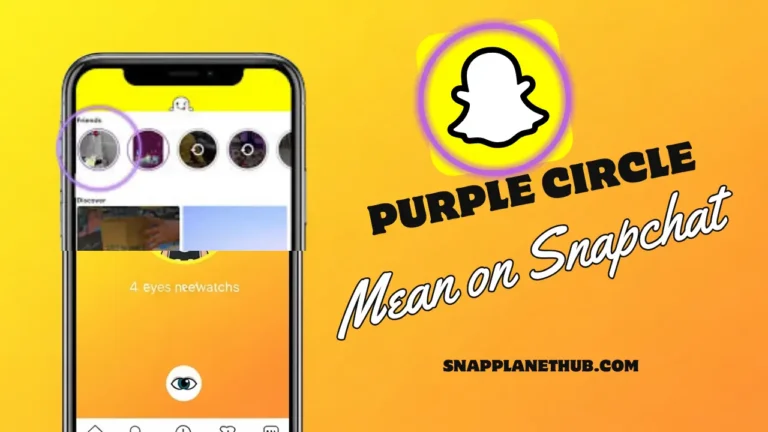
Snapchat sometimes uses variations in lock colors, which can give additional information about the story. The most common is a purple lock, which usually indicates a private story shared with a custom group.
Purple Lock on Snapchat
The purple lock is the default sign for private stories. It’s the most frequently seen lock and directly shows that the story is restricted to selected viewers. Anyone outside this group will not be able to see the content, making it a reliable privacy marker.
Blue Lock on Snapchat
The Blue lock on Snapchat shows that a story is shared with a limited group of friends and it is not public. It appears due to app updates or interface changes. Just like other lock icons, it simply signals restricted access so users can quickly understand that only selected viewers can see the story.
Why Does the Lock Appear on Snapchat Stories?
The lock is shown whenever a user makes a story private. This can be for a number of reasons:
- The story is meant for close friends.
- The user wants to protect personal content from a wider audience.
- It might be a test or limited-sharing post for a small group.
Can You View a Snapchat Story with a Lock on It?
You can only view a locked story if the person who made the story has added you to the list of selected viewers. If the story is private and you are not on the list, you will not be able to view it. Sometimes the lock icon appears even if the story won’t open, which simply indicates that your access is restricted.
How Private Stories Work on Snapchat
Private stories only control who can see your content; they do not change how Snapchat measures activity. Whether a story is private or public, Snapchat still tracks engagement separately from visibility settings.
Posting or viewing a private story does not boost or reduce your score because the lock icon is purely about privacy, not interaction metrics. If you are interested in knowing what affects your score and what doesn’t, the guide called Snap Score Increase will help you understand this.
How to Create a Private Story on Snapchat (Step-by-Step)
Creating a private story on Snapchat is a very easy way to share moments with only the friends you choose. This is a great way to post without having the whole friend list see everything. Here’s how to get started.
Creating a Private Story from Scratch
- Open Snapchat and go to the camera screen.
- Tap your profile icon at the top left.
- Select “My Stories” and choose “New Private Story.”
- Pick the snaps or stories you want to include.
- Confirm your selections to create the private story.
How to Manage Your Snapchat Private Stories
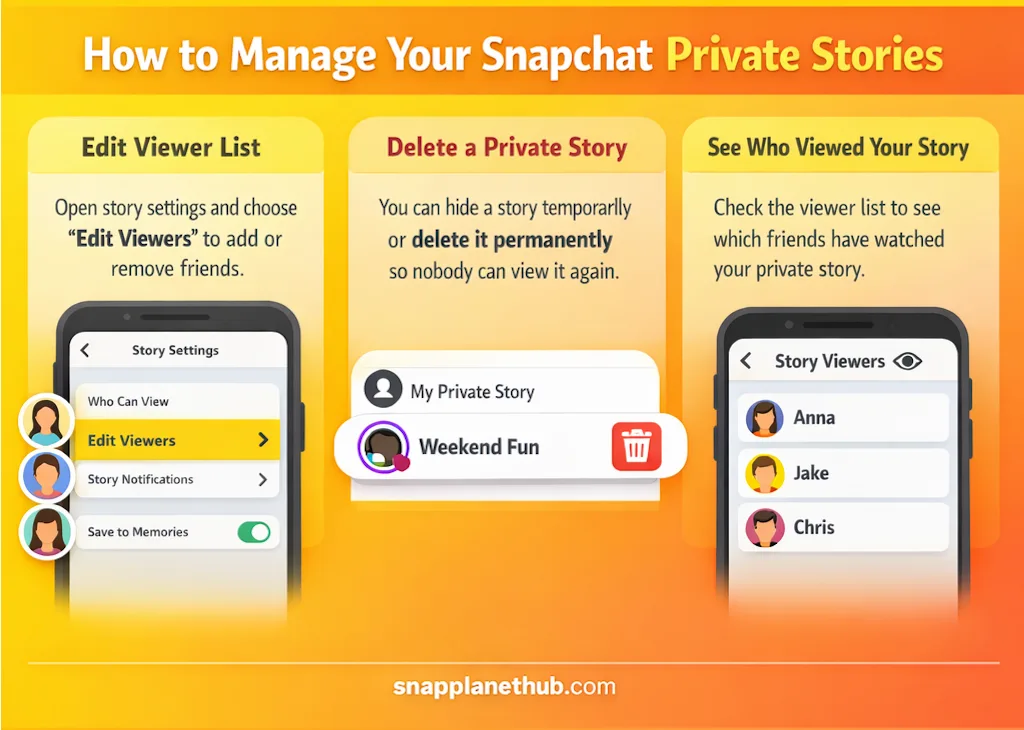
After creating a private story, Snapchat lets you control and monitor it effectively. Here’s how to handle different management options.
Editing the Viewer List After Creation
You can always add or delete friends in a private story. You can do this by accessing the story settings and choosing “Edit Viewers.”
How to Delete a Private Story
You can delete a private story on Snapchat either temporarily or permanently. Temporary deletion will hide the story instantly, but give you a chance to unhide it later if you want to. Permanent deletion will completely remove the story and make sure that no one can view it again.
How to See Who Viewed Your Private Story
Snapchat allows you to see who has viewed your private stories. This is important to ensure that you know which of your friends have viewed your stories.
Lock vs Other Snapchat Symbols
To fully understand the lock icon on Snapchat, it helps to look at how it fits in with other symbols inside the app. Snapchat uses visual cues everywhere to explain relationships, privacy, and interaction levels.
For example, the friend planet system shows how close you are to someone, while the lock icon focuses on who can view certain content. If you want a clear breakdown of how these icons work together, the Planets of Snapchat guide explains the meaning behind Snapchat’s visual indicators in a simple way.
- Lock vs Story views: The eye icon represents the people who have viewed a story, and the lock represents restricted access.
- Lock vs Chat privacy: The padlock for chat relates to app-level security, not story visibility.
- Lock vs Custom Stories: In custom stories, there can be multiple viewers, but the lock indicates the private choice specifically.
Can You Remove the Lock from a Snapchat Story?
Private stories remain locked even when you share them in public. Post a brand new public story or edit the old story’s settings until every friend can view it – only that action removes the lock.
Is the Lock Icon Safe?
Private stories are generally secure, but some precautions are required. Snapchat notifies creators if someone screenshots a private story, which helps maintain privacy. Sharing only with trusted friends reduces risk, and the lock icon serves as a constant reminder that content is limited to a chosen audience.
FAQs
Does the lock mean someone added me on Snapchat?
No, it only shows that the story has restricted visibility.
Can strangers see my locked Snapchat story?
No, only selected friends can view it.
Is a locked story always private?
Yes, the lock indicates limited access.
Can I turn off the lock icon?
Not directly; changing the audience from private to public will remove it.
Does Snapchat notify when I view a locked story?
Yes, creators can see who views their private stories.
Conclusion:
The lock icon in Snapchat is a very basic privacy indicator. It indicates that the story is shared with a selected group of friends and not with the public. This icon is very important to understand so that users can use the app with confidence and without any confusion regarding their private content.